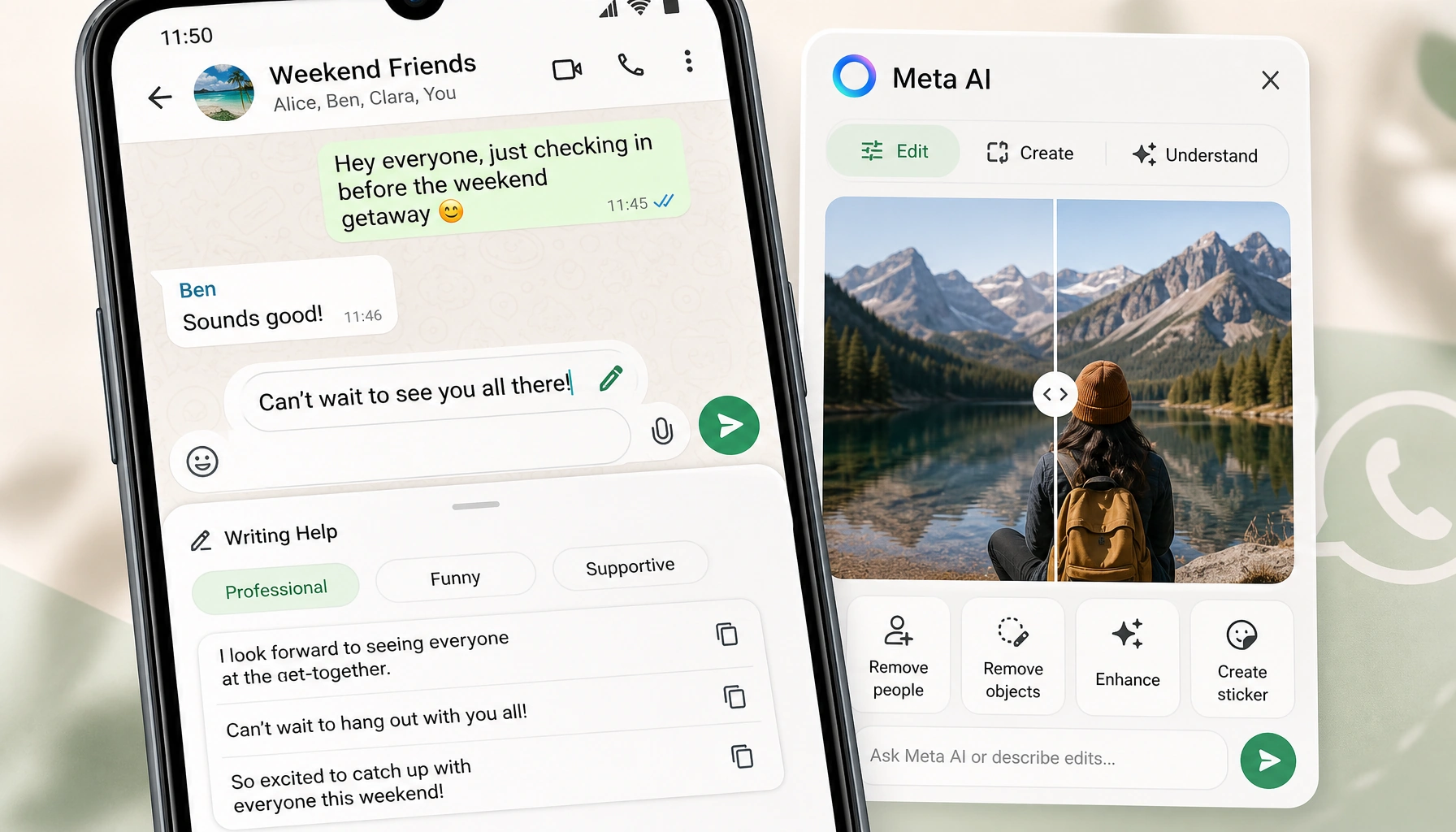
WhatsApp is adding two new AI workflows directly into chats: Writing Help for message drafts and a broader set of Meta AI image tools for creating and editing photos. Writing Help lets users rewrite a draft in different tones, and WhatsApp says it uses Private Processing to keep the original message and AI suggestions private.
Writing Help adds tone controls to message drafts
Writing Help appears after a user starts drafting a message in a 1:1 or group chat and taps a new pencil icon. From there, WhatsApp offers rewrite options in styles including professional, funny, and supportive. Users can pick one of those suggestions or keep editing the draft themselves.
WhatsApp says the feature is an optional add-on rather than a default behavior, and Private Processing is designed so Meta or WhatsApp do not read the message or the rewritten suggestions. Writing Help is rolling out in English, starting with the United States and several other countries.
Meta AI image tools move into the chat flow
WhatsApp is also showing Meta AI image features inside the messaging experience. In the product demo, the tools include image creation, photo editing, removing people or objects, generating stickers from photos, enhancing status updates, and understanding what is in an image.
The demo also shows users asking Meta AI to describe a photo or translate text visible in an image, putting the feature closer to a utility tool for reading and repurposing visual content inside chats.
Open questions on rollout and access
WhatsApp has not made the rollout picture fully clear for the photo tools. The materials shown make the features visible, but they do not confirm whether the image tools are landing in the same markets as Writing Help or on the same timeline.
It is also unclear how broadly the image functions are being exposed. Some of the tools may live directly inside chats, while others may sit behind separate Meta AI entry points. For now, users can tap the pencil icon to rewrite drafts, while the image tools remain a demoed part of the wider WhatsApp experience and their full rollout details are still unknown.
Disclaimer: This article was created with the assistance of AI. Images are for illustrative purposes only.
About the author

Samarth Agrawal is an AI and technology professional who writes about WhatsApp, automation, and emerging AI trends. He focuses on simplifying complex tech updates into practical insights for businesses, creators, and everyday users