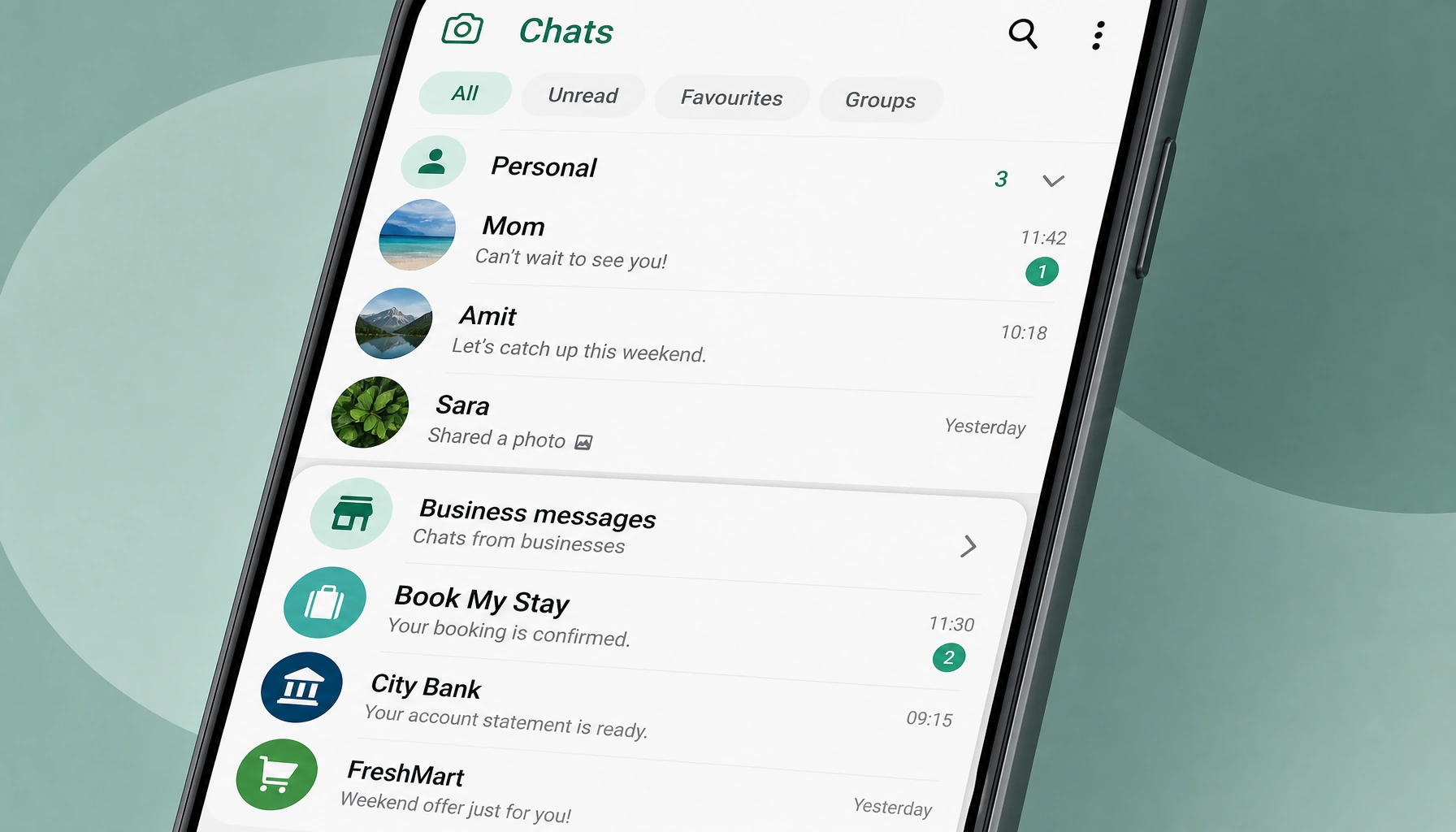
WhatsApp is testing a cleaner way to handle business conversations on Android, with business chats moving into a separate section instead of sitting alongside personal threads. The feature has surfaced in Android beta version 2.26.15.9 and gives users some control over which business chats stay in the main list.
Android beta shows a separate lane for business chats
The change is straightforward on the surface: WhatsApp is working on an automatic split between business chats and personal conversations. In the current test build, business messages are placed in a dedicated section rather than mixed into the main chat feed.
That setup would help keep the inbox easier to scan for people who receive frequent promotions, service notices, or other business updates. A separate section would keep those threads grouped together instead of forcing users to sort through them manually.
How the automatic split would work in practice
The separation would not happen instantly. Business chats would move into the dedicated section automatically after a short period of time. That gives users a window before the conversation shifts out of the main list.
WhatsApp is also testing a way to keep selected business chats in the main chat list. That detail matters for threads users still want to see regularly, such as active customer support chats or ongoing order updates. The result would be a more selective inbox, with personal conversations staying front and center and business threads moving out of the way unless users choose otherwise.
The broader aim is simple: help people find the conversations they care about more quickly. Instead of scrolling past promotional or automated messages, users would have a clearer path to the chats they use most often.
Rollout status remains unclear
The feature is still under development, so it is not available to all users yet. WhatsApp has not confirmed a public rollout, and it is not clear whether the change will stay limited to Android beta testing or expand more widely later.
It is also not confirmed whether the same behavior will appear on iOS.
Disclaimer: This article was created with the assistance of AI. Images are for illustrative purposes only.
About the author

Samarth Agrawal is an AI and technology professional who writes about WhatsApp, automation, and emerging AI trends. He focuses on simplifying complex tech updates into practical insights for businesses, creators, and everyday users