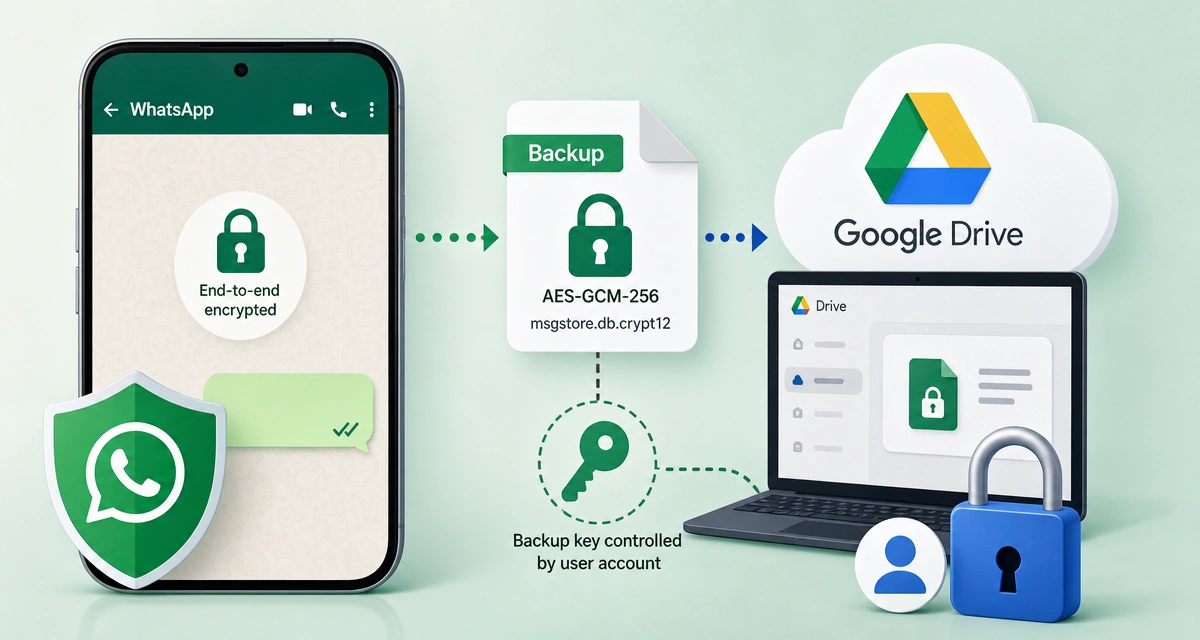
WhatsApp Google Drive backups don’t get end-to-end encryption
WhatsApp’s Google Drive backups do not automatically carry the app’s normal end-to-end encryption with them. The key question is who controls the backup key, because one discussion describes the backup data as encrypted with AES-GCM-256 before storage, yet still recoverable on a new device. For business users who keep client or team history in WhatsApp, that difference decides whether a Google account compromise can expose archived chats.
Google Drive backups sit outside WhatsApp’s normal end-to-end lock
WhatsApp’s live chats are built around end-to-end encryption, but Google Drive backups work differently because they still have to be restorable after a device change. That means the saved copy has to be recoverable through an account or device-based path, which is exactly where exposure can creep in if someone gets into the Google account tied to the backup. The security model for a backup is not the same as the security model for a message as it moves between users.
The unresolved point is key control. The backup question is less about whether the file is encrypted at all and more about whether the user holds the relevant key, or whether access depends on WhatsApp’s or Google’s recovery path. That distinction matters for anyone treating WhatsApp history as a business record, because the protection applied to live chats does not automatically extend to the saved copy in Google Drive.
AES-GCM-256 and the backup file format underneath
One source in the discussion describes WhatsApp chat backups as encrypted before storage with AES-GCM-256. That points to encryption at rest, not plain files sitting in Drive. The same discussion also references the backup file format msgstore.db.crypt12, which is another sign that the backup is handled as a separate data object rather than just a raw chat export.
That technical detail is easy to miss, but it changes the reading of the issue. “Encrypted” does not mean the same thing as end-to-end encrypted in the way WhatsApp messages are while they are sent between devices. A backup can be encrypted and still fail to give the user the same privacy guarantees if the key is tied to account recovery or another system-controlled path.
What a compromised Google account can expose
If a Google account is compromised, WhatsApp backup contents can become exposed unless the backup is separately protected. That is the direct business risk: a stolen account can turn archived chat history into readable material, even if the live message service itself remains end-to-end encrypted. For operators who use WhatsApp to keep customer conversations, order details, or internal coordination, the backup may hold more sensitive material than the live app session.
An Android-side backup encryption path is also mentioned at Settings > Google > Backup > Backup encryption, but its applicability to WhatsApp backups is not fully corroborated here. The practical takeaway is narrower: do not assume WhatsApp’s normal end-to-end protection automatically covers what gets saved to Google Drive.
Disclaimer: This article was created with the assistance of AI. Images are for illustrative purposes only.
About the author

Samarth Agrawal is an AI and technology professional who writes about WhatsApp, automation, and emerging AI trends. He focuses on simplifying complex tech updates into practical insights for businesses, creators, and everyday users