WhatsApp Web is testing group voice and video calls in browser-based group chats for beta testers.
WhatsApp Web is testing group voice and video calls in browser-based group chats for some beta testers, bringing 32-person calling to the web client. The feature extends WhatsApp Web’s earlier one-to-one calling support and closes a long-standing gap for people who manage chats from a desktop browser. There is no stable release date yet.
WhatsApp Web’s group-call test reaches browser-based chats
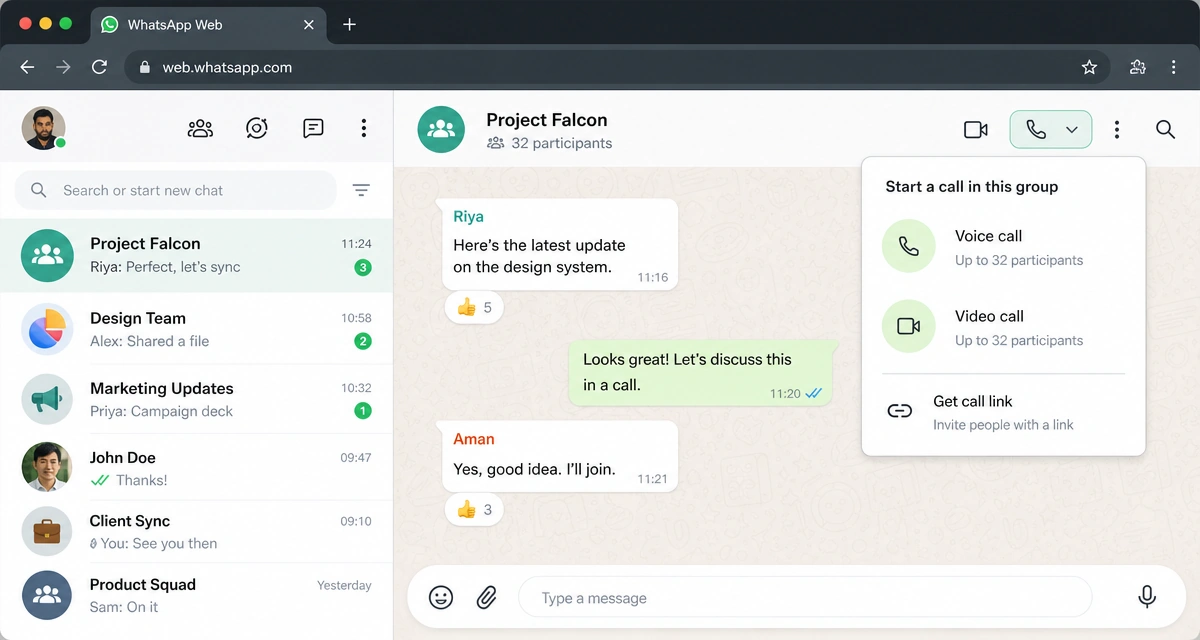
The new group-calling option sits inside WhatsApp Web group chats, not the mobile app. Eligible users will see a call button in the chat, then choose whether to start a voice or video call and select participants before connecting. That makes the feature a direct extension of the web experience rather than a separate desktop product.
For now, the rollout is limited to some beta testers. WhatsApp has not said which countries, platforms, or account cohorts have access, or when the feature will reach a stable launch. Most users will not see the option yet, even though the browser test is already live.
The 32-person cap, call links, and the split between voice and video
WhatsApp Web group calls support up to 32 participants, matching the limit used in other WhatsApp calling surfaces. Call links are part of the setup, so users can invite people by URL instead of adding them one by one. A waiting room is also available, and those links expire after 30 days of inactivity.
The feature also separates voice and video more clearly. Users can start either type of call from the group chat, but screen sharing is only available in group video calls. That gives the browser version the core tools needed for quick team check-ins, walkthroughs, or lightweight support calls without moving the conversation elsewhere.
Encryption stays in place
End-to-end encryption still covers WhatsApp Web group calls, so call content remains private to participants. That keeps the new browser feature aligned with the security model WhatsApp already uses for its calls on other surfaces.
The update also builds on the earlier one-to-one calling support WhatsApp added to the web client. Group calling is the bigger step: it turns WhatsApp Web from a chat-and-single-call interface into something closer to a usable desktop coordination tool, while still staying in beta and short of a full rollout.
Why browser-first users stand to benefit first
The clearest upside is for people who already use WhatsApp Web as their main desktop interface. Linux users stand out here because they do not have an official WhatsApp desktop app, making the browser the default way to stay on the platform from a computer.
For those users, group calling in the browser removes one more reason to switch to a phone or a separate app during coordination. It gives support teams, operators, and small groups a way to keep a call, chat, and participant selection inside WhatsApp Web, but the feature is still limited to beta testers, and the stable launch remains open.
Disclaimer: This article was created with the assistance of AI. Images are for illustrative purposes only.
About the author

Samarth Agrawal is an AI and technology professional who writes about WhatsApp, automation, and emerging AI trends. He focuses on simplifying complex tech updates into practical insights for businesses, creators, and everyday users