
Bulk WhatsApp messages allow businesses to reach hundreds or thousands of customers instantly. If you want to send bulk WhatsApp messages in 2026, you must balance speed with safety. Today, companies use the WhatsApp Business App, Business API, and spreadsheet-based tools to scale communication efficiently. However, bulk messaging is no longer just about sending messages quickly. It requires understanding platform limits, consent rules, personalization strategies, and engagement signals to avoid account bans.
More than 50 million businesses use the WhatsApp Business App globally, with over 15 million in India alone. This makes WhatsApp one of the most powerful direct marketing channels available. But sending messages without proper opt-in, pacing, or segmentation can reduce delivery rates or result in restrictions. This guide explains how to send bulk WhatsApp messages safely, compliantly, and effectively in 2026.
What Is Bulk WhatsApp Messaging?
Bulk WhatsApp messaging means sending one message to many contacts individually at scale. Unlike WhatsApp groups, recipients do not see each other. Unlike simple broadcasts, bulk messaging can include personalization, automation, and structured workflows.
Businesses use bulk WhatsApp messaging for:
• Promotions and offers
• Appointment reminders
• Event invitations
• Customer follow-ups
• Payment reminders
• Product launches
It is different from:
• WhatsApp Groups – where everyone can see all members and messages.
• Broadcast Lists – limited to 256 contacts per list
When done correctly, bulk messaging helps businesses communicate efficiently while maintaining personalization and compliance.
Key Takeaways
Pick the best way to send many messages. You can use WhatsApp Business API, Business App, or SheetWA.
Always ask people before you send them messages. This stops spam complaints and keeps your account safe.
Use message templates that WhatsApp says are okay. This makes sure your messages follow rules and look good.
Split your audience into groups for better messages. Put contacts together by what they like or need.
Watch how your messages do. Check if people get them, open them, and reply. This helps you do better next time.
Do not send too many messages at once. Send them at good times so more people see them.
Make your messages special for each person. Use their names and give offers that fit them.
Keep learning about WhatsApp’s rules and tips. Following these helps keep your account safe and builds trust.
How to Send Bulk WhatsApp Messages in 2026

Choosing the Right Method
If you want to send bulk whatsapp messages in 2026, you have a few ways to do it. Each way works best for different businesses. You can use the WhatsApp Business API, WhatsApp Business App, SheetWA, or other tools. Picking the best way helps you reach customers fast and keeps your account safe.
Think about what is most important when you pick a method. You need to follow the rules, make messages feel special, and not send spam. You also want your messages to reach the right people and stand out. Here is a table that shows the main features you should look at:
Key Features | Description |
|---|---|
Official WhatsApp Business API | Makes sure you follow the rules and can send lots of messages. |
Template approval system | Lets you use message templates that are already approved. |
Contact segmentation | Helps you send messages to certain groups of people. |
Message personalization | Uses customer info to make each message different. |
Shared team inbox | Lets your team answer messages together. |
Automation workflows | Sends replies and messages automatically. |
Analytics & reports | Shows how well your messages do and who sees them. |
Opt-out handling | Lets people stop getting your messages if they want. |
CRM & API integrations | Connects with your business tools for easy work. |
International messaging suitability | Sends messages to people in other countries. |
Ask yourself which features are most important for your business. If you want to send more messages, you might need automation and reports. If you want to reach certain people, look for contact segmentation and personalization. If you want to make customers happy, focus on opt-out handling and template approval.
Bulk Messaging Methods Compared (Broadcast vs Business App vs API vs SheetWA)
Feature | Broadcast | Business App | Business API | SheetWA |
|---|---|---|---|---|
Max Contacts | 256 per list | Limited | Scalable | Spreadsheet-based |
Automation | No | Basic | Advanced | Controlled pacing |
Personalization | Limited | Basic | Template-based | Dynamic fields |
Setup Complexity | Easy | Easy | High | Easy |
Best For | Small updates | Small businesses | Large enterprises | SMBs & marketers |
WhatsApp Broadcast Feature
Lots of people use the broadcast feature in whatsapp to send messages to many people. You can create a broadcast list and send one message to many contacts at once. This is good for small groups and quick news.
There are some limits to using whatsapp broadcast. Here are some things to know:
Each broadcast list can only have 256 contacts. If you have more, you need more lists.
People must save your number to get your broadcast. If they do not, they will not get your message.
You do not get reports. You cannot see who read your message or who replied.
If you send too many broadcasts or people mark your messages as spam, whatsapp might block your account.
Also Read : Difference Between WhatsApp Bulk Message Sender and Broadcast List
Use broadcast for simple news or reminders. If you want to send messages to more people, you may need other tools. Do not send broadcasts too often and leave time between each one.
Bulk Messaging Tools Overview
There are many tools to send bulk whatsapp messages in 2026. The WhatsApp Business API is good for big companies. It lets you send messages automatically, check how they do, and use templates. The WhatsApp Business App is better for small businesses. You can keep your contacts organized and send broadcasts easily.
SheetWA is another tool that helps you send bulk messages without the API. You can use Google Sheets or Excel files and make each message special. SheetWA lets you add pictures, videos, and files. You can plan when to send messages and change the times so it does not look like spam. Many businesses use SheetWA for marketing, reminders, and talking to customers.
No matter what tool you use, you must follow whatsapp rules. Here is a table that shows what you need to do:
Requirement | Description |
|---|---|
Opt-in and consent | Get permission from people before you send messages. Let them stop messages if they want. |
Templates vs free-form | Use approved templates for different messages. Follow whatsapp’s rules. |
24-hour customer service window | Answer within 24 hours if a customer messages you. Use a new template after 24 hours. |
Prohibited methods | Do not use broadcasts from the regular app, auto-senders, or lists you did not get yourself. |
Respect people’s privacy and send messages at the right time. Always ask before you send bulk or broadcast messages. Use templates for important news. Do not send too many messages at once. This keeps your account safe and helps people trust you.
If you want to send bulk whatsapp messages in 2026, pick a way that fits your business size, goals, and rules. Use broadcast for small groups, the business platform for automation, or SheetWA for easy messages. Make sure your marketing is friendly and follows the rules. Sending messages the right way helps your business grow and keeps your customers happy.
WhatsApp Bulk Messaging Limits in 2026
Understanding WhatsApp’s messaging limits is critical before sending bulk campaigns. Many accounts get restricted not because of spam intent, but because businesses scale too fast without understanding platform thresholds.
WhatsApp evaluates sending behavior based on engagement, pacing, and recipient feedback. Messaging limits are dynamic, meaning they can increase or decrease depending on account trust.
Messaging Limits for New Numbers
Newly registered WhatsApp numbers have lower messaging thresholds.
If you start sending hundreds of messages immediately:
• Delivery rates may drop
• Messages may show only single tick
• Temporary restrictions may apply
• Account could be flagged for unusual activity
It is always recommended to warm up new numbers gradually by:
• Starting with small batches
• Encouraging replies
• Maintaining two-way conversations
Engagement improves account trust.
Engagement-Based Scaling
WhatsApp increases messaging capacity when:
• Recipients reply
• Messages are opened quickly
• Conversations remain active
• Low report/block rates are maintained
If many recipients ignore or report messages, WhatsApp reduces reach.
The platform prioritizes quality over quantity.
Broadcast List Limitations
The Broadcast feature inside the WhatsApp Business App:
• Is limited to 256 contacts per list
• Requires recipients to save your number
• Offers limited analytics
For businesses targeting larger audiences, broadcast alone is insufficient.
Also Read : How to Fix WhatsApp Broadcast Message Delivery Issues
The 24-Hour Messaging Rule
For API-based messaging:
• Businesses can respond freely within 24 hours of a customer message
• After 24 hours, approved templates must be used
• Promotional free-form messages are restricted outside the window
This rule exists to protect user experience.
What Happens If You Cross Limits
If sending behavior looks risky:
• Messages may stop delivering
• Account may receive warning
• Temporary bans may occur
• Permanent suspension is possible
Also Read : Top 5 Templates to Request WhatsApp Unban
To prevent this:
• Send in controlled batches
• Personalize messages
• Avoid identical repetitive blasts
• Monitor engagement carefully
Scaling responsibly protects your business long term.
WhatsApp Business API Guide
API Setup Steps
If you want to use the whatsapp business api for bulk messaging, you must set up your account correctly. This setup links your business to the whatsapp business platform and helps you follow all the rules. Here are the steps to get started:
Register Your Business
Make a whatsapp business profile. Add your business name, logo, and details. This helps people know your business.Connect to Facebook Business Manager
Link your business to Facebook Business Manager. This step checks your business and keeps your account safe.Choose a WhatsApp API Provider
Pick a provider that gives you access to the whatsapp business api. Many companies offer this, so choose one that works for you.Verify Your Phone Number
Use a special phone number for your whatsapp business platform. This number will send all your bulk messages.Integrate with Your Tools
Connect the whatsapp business api to your CRM or marketing tools. This helps you manage contacts and send bulk messages easily.Organize Your Contact List
Make sure everyone on your list gave you permission. Group your contacts by what they like or need.
Tip: Always get permission before you send bulk messages. This keeps your account safe and helps people trust you.
Template Creation and Approval
Before sending bulk messages, you must make message templates. The whatsapp business api only lets you send templates that are approved first. Here is what you need to know:
Send your message templates for review using your whatsapp business platform.
Most text-only templates get approved in less than two days.
If you use pictures or videos, it might take longer to get approved.
Make your templates easy to read and friendly. Do not use words that sound like spam.
Note: You cannot send bulk messages until your templates are approved. Plan ahead so you do not miss important times.
Sending Bulk Messages
When your setup is done and your templates are approved, you can start sending bulk messages with the whatsapp business api. Here are some best practices to follow:
Best Practice | Description |
|---|---|
Respect Privacy and Permissions | Only message people who said yes to get messages. |
Limit the Number of Messages | Do not send too many messages at once. |
Monitor and Optimize | Check how your messages do and make changes if needed. |
Offer Opt-Out | Let people stop getting your messages if they want. |
Always use the whatsapp business api for bulk messaging, not the regular app.
Make your messages helpful and personal.
Watch your results and change your plan if you need to.
If you follow these steps, you can use the whatsapp business platform to reach your audience, keep your account safe, and help your business grow.
Monitoring and Troubleshooting
When you send bulk WhatsApp messages with the Business API, you should watch how your campaigns do. Watching your results helps you find problems early. Fixing issues fast keeps your messages working and your account safe.
Why Should You Monitor Your Campaigns?
You want to see if your messages get sent, read, and answered. If not many people reply, you can try something new. Checking these numbers shows what works and what needs to change.
Tip: Always look at your campaign stats after sending messages. This helps you find problems before they get bigger.
Here are some important numbers you should check:
Metric | What It Shows |
|---|---|
Delivery Rate | How many messages reach your contacts |
Open Rate | How many people read your messages |
Response Rate | How many people reply to you |
You can use tools to help you watch your campaigns. Some good choices are:
WappMaster: Lets you see how people react to your messages. You can check delivery, opens, and replies in one place.
Jido: Helps you fix problems with message delivery. If your messages do not go through, Jido tells you why and gives ideas to fix it.
Engagement Metrics: These numbers show if your campaign is doing well. High numbers mean people like your messages.
If your delivery rate drops, look at your contact list. Make sure all phone numbers are right and still work. If not many people open your messages, try making your messages more fun. Use friendly words and add emojis to get attention. If not many people reply, ask questions or give something helpful.
Note: Sometimes WhatsApp blocks messages if you send too many at once or if people say your messages are spam. Always follow WhatsApp’s rules and let people stop getting messages if they want.
Here is a simple checklist to fix problems:
Check your internet before sending messages.
Make sure your templates are approved and follow WhatsApp rules.
Check your contact list for mistakes or old numbers.
Use tools like WappMaster or Jido to find delivery problems.
Change when you send messages if not many people reply.
If you keep watching your campaigns and fix problems fast, you will get better results. More people will get your messages, and your business will do better. Remember, paying attention helps your WhatsApp messages work well and keeps your account safe. 🚀
Business App Guide
App Setup
It is easy to start using the WhatsApp Business App. First, download it from the Google Play Store or App Store. After you install it, make your business profile. Add your business name, logo, and contact details. This helps customers know who you are and trust you.
You can connect your WhatsApp business platform to your website or social media. This lets people reach you more easily. Make sure your profile looks neat and professional. A clear logo and correct information help customers feel good about messaging you.
Also Read : WhatsApp Business API Review: Is It the Best for Bulk Messages?
Organizing Contacts
It is important to keep your contacts organized if you want to send bulk messages. Save client numbers in your phone and use labels in the app. Labels like "leads," "new customers," or "VIP" help you group people. This makes it easy to find the right contacts fast.
Many businesses use CRM systems to manage contacts. This helps you keep your list updated and not lose leads. You can also import contacts from Excel or CSV files. Tools like Chatspromo Bulk Sender and WAppMaster help you organize contacts and make campaigns special. When you use message templates, you can add names or offers. This makes your messages feel special and gets more people to read them.
Here is a quick list to help you keep contacts organized:
Save all client and customer numbers.
Use labels to sort contacts by type.
Import contacts from spreadsheets for bulk messages.
Keep your list updated so you do not message old numbers.
Sending Broadcasts
Broadcasts in the WhatsApp Business App let you reach many people at once. You can send bulk messages to up to 256 contacts in one list. Only people who saved your number will get your message. This helps you reach the right people and not send spam.
Follow these steps to send a broadcast:
Download and install the WhatsApp Business App.
Save client numbers to make a contact list.
Use labels to sort your customers.
Tap "New Broadcast" in the chat tab.
Add up to 256 contacts to your broadcast list.
Write and personalize your message.
Send the message to everyone on the list.
You can use approved message templates for promotions. Make sure your customers said yes to get messages. Share helpful and interesting content. Do not send too many messages at once. You can schedule messages to save time and reach people when they are active. Delivery reports show how many people got and read your messages.
Sending broadcasts the right way helps your whatsapp business platform work better. It lets you connect with customers and grow your business. When you organize contacts and make messages special, customers have a better experience. Bulk messaging gets easier and works better.
Tracking Performance
You want your WhatsApp messages to work, right? Tracking performance helps you see what’s working and what’s not. When you send broadcasts, you need to know if people read your messages, click your links, or even buy something. If you don’t check, you might waste time sending messages that nobody reads.
Start by looking at the numbers. These numbers tell you if your messages reach people and if they care about what you say. Here’s a simple table to help you understand the most important things to track:
Metric | Description |
|---|---|
Open Rates | Shows how many people see your messages. |
Click-Through Rates | Tells you who clicks on links in your messages. |
Conversion Rates | Tracks who buys or signs up after getting your message. |
Broadcast List Growth Rate | Measures how fast your broadcast list is growing. |
Replies Within 10 Minutes | Counts how many people reply right away, showing high interest. |
Opt-Out Rates | Shows how many people unsubscribe from your list. |
You can check open rates to see if your messages catch attention. If the number is low, try changing your message or sending it at a different time. Click-through rates help you know if people want to learn more or visit your website. If you add a link, see how many people tap it.
Conversion rates matter a lot. This number tells you if people buy, sign up, or do what you want after reading your message. If conversions are low, maybe your offer needs work or your message isn’t clear.
Watch your broadcast list growth rate. If your list grows fast, you’re doing something right. If it slows down, ask people to share your number or invite friends. Replies within 10 minutes show excitement. If lots of people reply quickly, your message hit the mark.
Don’t forget opt-out rates. If many people leave your list, you might send too many messages or your content isn’t helpful. Try to keep this number low by sending useful and friendly messages.
Tip: Write down your numbers every week. Look for patterns. If you see a drop, change your plan. If you see a jump, do more of what works.
Here’s a quick checklist for you:
Check open rates after every broadcast.
Track how many people click your links.
Count how many people buy or sign up.
Watch your list size—growing means you’re reaching more people.
Notice fast replies for hot topics.
Keep an eye on opt-outs to avoid losing your audience.
When you track these things, you get better at WhatsApp marketing. You learn what your customers like. You save time and grow your business. Tracking makes you smarter and helps you win on WhatsApp. 📈
Compliance and Best Practices
WhatsApp Messaging Rules
You want your whatsapp marketing to work, but you also need to follow the rules. WhatsApp has new messaging limits for bulk messages in 2026. If you send messages to people who don’t reply, whatsapp counts each one toward your monthly quota. This rule helps stop spam and keeps your account safe. Regular chats with friends or family won’t be affected.
Here’s what you need to remember:
Only send bulk messages to people who gave you opt-in consent.
Don’t send too many messages to people who don’t respond.
Make sure your messages are helpful and not spammy.
Use whatsapp marketing to share news, offers, or updates, but always respect the rules.
If you break these rules, whatsapp may block your account. You want your marketing to reach the right people, so always get opt-in before sending anything.
Avoiding Account Bans
Nobody wants their whatsapp number get banned. You can avoid this by following some simple steps. When you use whatsapp marketing, you need to be careful and smart.
Get opt-in consent from everyone on your list. This means people must agree to get your messages.
Segment your audience. Group people by interests or past purchases. Send messages that match what they like.
Send messages during business hours. People are more likely to read and reply when they’re not busy.
Avoid over-messaging. Don’t send too many messages in a short time. Give people space.
Use quality content. Make your messages interesting and useful. If you send boring or spammy messages, people might report you.
Also Read : How to Send Bulk WhatsApp Messages Without Spamming
Tip: Always check SheetWA’s Acceptable Use Policy and whatsapp guidelines. These help you stay safe and keep your account active.
If you follow these steps, your whatsapp marketing will work better. You’ll build trust and keep your account safe.
Data Privacy and Consent
Data privacy matters a lot in whatsapp marketing. You must get clear opt-in from users before sending any messages. People need to know what kind of messages they’ll get. Opt-in should be a voluntary choice. Tell users that whatsapp is the channel you’ll use.
Here’s a quick checklist for data privacy:
Ask for opt-in before sending messages.
Explain what types of messages you’ll send.
Make sure opt-in is voluntary.
Tell users you’ll use whatsapp for communication.
You also need to protect personal information. This includes names, emails, and phone numbers. Use this data only for service delivery, account management, and analytics. Don’t share it without permission.
Note: Always respect privacy and give users a way to opt-out. If someone wants to stop getting messages, remove them from your list.
When you follow these privacy rules, your whatsapp marketing becomes more trustworthy. People feel safe and are more likely to engage with your messages. You build a strong reputation and avoid trouble.
Message Timing and Spacing
When you send bulk WhatsApp messages, timing matters a lot. You want your messages to land when people are most likely to see them. If you send a message too early in the morning, your customers might still be asleep. If you send it too late at night, they might get annoyed or even block you. Picking the right time helps your messages get noticed and keeps your audience happy.
Most people check their phones during certain parts of the day. Late mornings, between 11 AM and 1 PM, work well for many. Evenings, from 5 PM to 8 PM, are also good times. People are usually done with work or school and have a moment to look at their phones. Try to avoid sending messages very early or very late. No one likes to wake up to a bunch of notifications!
Here are some simple tips to help you get your timing right:
Send messages when your audience is most active, like late mornings or early evenings.
Avoid sending messages at odd hours, such as before 8 AM or after 9 PM.
Think about weekends and holidays. Some people check their phones more, while others might not want business messages.
Spacing your messages is just as important as timing. If you send too many messages in a short time, people might feel overwhelmed. They could mute your number or even report you as spam. You want your messages to feel helpful, not annoying.
Tip: Give your audience some breathing room. Space out your messages so you don’t flood their inbox.
Here’s how you can manage message spacing:
Wait at least a few hours between each bulk message.
Don’t send more than one marketing message per day to the same person.
Use tools like SheetWA to schedule and randomize your messages. This makes your outreach look more natural and less like spam.
Watch how people respond. If you notice more people opting out, slow down your message frequency.
A good schedule keeps your audience engaged and your account safe. When you respect your customers’ time, they are more likely to read and respond to your messages. You also lower the risk of getting flagged by WhatsApp for spammy behavior.
Remember, smart timing and careful spacing make your WhatsApp campaigns more successful. You build trust, get better results, and keep your business growing. 📅
Common Mistakes in Bulk WhatsApp Messaging
Even well-intentioned businesses make mistakes that reduce delivery rates or cause restrictions. Understanding these common errors helps you avoid unnecessary risk.
Sending Messages Without Clear Consent
One of the biggest mistakes is messaging contacts who never opted in.
Problems this creates:
• Spam reports
• Blocks
• Reduced sender trust score
• Account suspension
Always collect explicit opt-in before sending campaigns.
Using Purchased or Scraped Contact Lists
Cold databases are extremely risky.
These contacts:
• Do not recognize your brand
• Are more likely to report messages
• Harm account reputation immediately
Bulk messaging works best when targeting warm audiences.
Sending Identical Promotional Messages Repeatedly
Repetitive copy signals automation abuse.
Instead:
• Use personalization fields
• Modify message tone
• Add contextual value
Variation reduces spam detection risk.
Sending Too Many Messages Too Quickly
Rapid-fire sending is a red flag.
Instead:
• Add time gaps
• Randomize intervals
• Send in controlled batches
Natural pacing improves safety.
Ignoring Replies From Customers
Bulk messaging is not one-way broadcasting.
If customers reply and you do not respond:
• Engagement drops
• Trust weakens
• Account credibility declines
Always monitor replies actively.
Poor Segmentation
Sending the same message from every contact list reduces relevance.
Segment based on:
• Purchase behavior
• Location
• Customer stage
• Interest category
Relevance improves response rates significantly.
Monitoring and Optimizing Bulk Messaging
Tracking Delivery
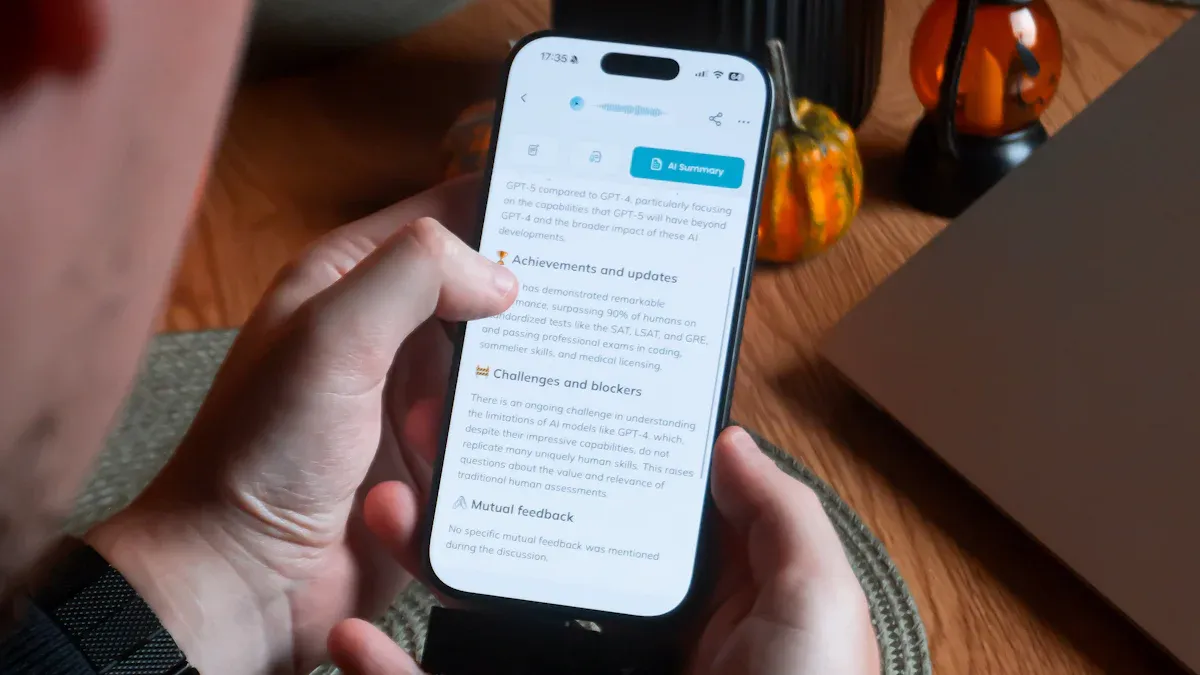
You want everyone on your list to get your messages. Tracking delivery helps you see if your whatsapp messages reach your customers. The WhatsApp Business API has tools for checking delivery status. You can find out which messages go through and which do not. This helps you fix problems quickly.
Here is how you can track delivery rates:
Check the delivery status for each message. The WhatsApp Business API shows if your message was sent, delivered, or read.
Look at open rates. This tells you how many people open your whatsapp messages. If the number is low, try changing your message style.
Track customer engagement. Count how many messages you send and how many replies you get. This shows if your audience likes your content.
Tip: Always check your delivery numbers after sending bulk messages. If you see a drop, look at your contact list and when you send messages.
Analyzing Engagement
You need to know if your whatsapp campaigns work well. Analyzing engagement helps you see what your customers like. You can use different numbers to measure how your bulk messaging does.
Here is a table with important engagement metrics:
Metric | Description |
|---|---|
Engagement Rate | Combines replies and clicks to show overall audience interest. |
Open Rate | Percentage of messages opened by customers. |
Response Rate | Percentage of messages that get a reply. |
Click-Through Rate | Percentage of users who click links in your messages. |
Message Delivery Rate | Percentage of messages delivered successfully. |
Conversion Rate | Percentage of messages that lead to actions like purchases or sign-ups. |
You can use these numbers to see what works best. If your open rate is high, your message gets attention. If your response rate is low, try asking questions or giving something new. Click-through rates show if people want to learn more. Conversion rates tell you if your campaign leads to sales or sign-ups.
Note: Write down your engagement numbers every week. Look for patterns and change your bulk messaging plan if you need to.
Improving Campaigns
You can make your whatsapp campaigns better by using smart ideas. Try these tips to get better results from your bulk messaging:
Send messages when your audience is most active. Late mornings or early evenings are good times for many people.
Send another message to people who did not reply. Try a new offer or question.
Use chatbots to answer common questions fast. This keeps customers happy and saves you time.
Make your messages personal. Use the person’s name and talk about their past purchases.
Group your audience by location, interests, or buying history. Send special messages to each group.
Tip: Personalizing and grouping your messages makes them feel special. People are more likely to reply when messages fit their needs.
You can also use chatbots for quick answers. This helps customers get help right away and keeps them interested. If you see low engagement, try changing your message style or timing. Keep testing new ideas and watch your results.
When you watch and improve your whatsapp bulk messaging, you get better results. You reach more people, get more replies, and help your business grow.
Real Business Use Cases for Bulk WhatsApp Messaging
Bulk WhatsApp messaging is not limited to promotions. It supports structured business communication across industries.
Retail Promotions and Flash Sales
Retail brands use bulk messaging to:
• Announce discounts
• Share new arrivals
• Send limited-time offers
Time-sensitive promotions perform well on WhatsApp.
Appointment Reminders
Clinics, salons, and consultants use bulk messages for:
• Booking confirmations
• Reminder notifications
• Rescheduling alerts
This reduces no-shows and improves efficiency.
Lead Follow-Ups
Real estate agents and service providers:
• Send property updates
• Share brochure links
• Follow up on inquiries
WhatsApp increases response speed compared to email.
Educational Announcements
Training institutes and coaching centers use bulk messaging to:
• Share class schedules
• Announce exams
• Send webinar reminders
Structured communication improves attendance rates.
Invoice and Payment Reminders
Service-based businesses:
• Send due payment reminders
• Share invoices
• Confirm transactions
Personalized reminders increase payment compliance.
Also Read : 13 Real Examples of Successful WhatsApp Marketing Campaigns
SheetWA for Bulk WhatsApp Messages
SheetWA Overview
SheetWA makes sending whatsapp messages easy and personal. You can use Google Sheets, Excel, or CSV files with your whatsapp account. This lets you keep contacts and messages together. You do not need the whatsapp business API or expensive tools. SheetWA works with whatsapp web and sends messages to many people at once.
SheetWA is good for different kinds of marketing. Retail shops share new deals. Training centers remind students about classes. Real estate agents talk to leads. Insurance advisors send reminders. SheetWA helps you reach people fast and keeps messages personal.
With SheetWA, you do not need to save every contact in your phone. You can upload your spreadsheet and start messaging right away. You can send pictures, videos, and documents. You can make your messages bold, italic, and add emojis. You can schedule messages or change the timing so your outreach looks natural.
SheetWA saves you time and money. You can focus on marketing and not worry about setup.
Send Bulk Messages with SheetWA
Sending bulk messages with SheetWA is simple. You do not need coding or special training. Here is how you start:
Open Google Sheets or Excel and list your contacts.
Add columns for names, offers, or other details.
Install the SheetWA plugin or Chrome extension.
Connect SheetWA to whatsapp web on your computer.
Pick your spreadsheet and match columns to your message template.
Write your message. Use tags like @Name or @Offer to make each message unique.
Add pictures, videos, or documents if you want.
Preview your messages before sending.
Set random time gaps or schedule your messages.
Click to send bulk messages to your contacts.
SheetWA helps you reach customers easily. You can make every message special and add rich media. You can use templates for common messages and save drafts for later.
Personalization via Spreadsheets
Personalization is important in whatsapp marketing. SheetWA lets you use your spreadsheet to make each message feel special. You can add the customer’s name, mention their last purchase, or share a custom offer. This makes your outreach work better.
For example, you can write:
Hi {name}, we have a special offer for you! Get 20% off on your next order. Visit our store today.
SheetWA will change {name} to each person’s name from your sheet. You can use other tags for dates, products, or places. This helps you build trust and get more replies.
Personalizing your messages helps you stand out. People like messages made just for them.
Media Attachments and Formatting
You can make your whatsapp messages more fun by adding pictures, videos, or documents. SheetWA lets you attach up to seven files per message. You can show product photos, send invoices, or share event flyers. You can also make your text bold, italic, and add emojis.
Here is how you do it:
Add your media files to your spreadsheet or pick them in SheetWA.
Use formatting tags in your message template.
Preview your message to see how it looks.
Send your message with media and formatting to all contacts.
This makes your marketing more visual and interactive. Customers are more likely to reply when they see pictures or videos.
FAQ
How can you send bulk WhatsApp messages without getting banned?
You need to get permission from your contacts. Space out your messages. Use tools like SheetWA that randomize timing. Always follow WhatsApp’s rules. If you respect privacy and avoid spam, your account stays safe.
What makes SheetWA different from other bulk WhatsApp tools?
SheetWA lets you send messages straight from Google Sheets or Excel. You can personalize each message. You don’t need to save every contact or use the WhatsApp API. It’s fast, easy, and cost-effective.
Can you add images or documents to your bulk WhatsApp messages?
Yes! SheetWA supports images, videos, and documents. You can attach up to seven files per message. This helps your messages stand out and gives your customers more information.
Do you need coding skills to use SheetWA?
No coding needed. You just install the plugin, connect your spreadsheet, and write your message. SheetWA guides you step by step. Anyone can use it, even if you’re not tech-savvy.
How do you personalize messages for each contact?
You use tags like {name} or {offer} in your message template. SheetWA pulls data from your spreadsheet and fills in the details. Each person gets a message made just for them.
What should you do if your messages aren’t getting delivered?
Check your contact list for errors. Make sure numbers are correct and active. Review your message timing. Use SheetWA’s preview and randomize features. If problems continue, look at WhatsApp’s guidelines for help.
Is it safe to use bulk WhatsApp messaging for marketing?
Yes, if you follow best practices. Get opt-in consent. Send helpful, friendly messages. Respect privacy. Use tools like SheetWA that support compliance. This builds trust and keeps your account secure.