What's new in SheetWA
Discover the latest features, improvements, and fixes shipped to SheetWA.
April 12, 2026
Save Time with LinkedIn Quick Replies
New Features
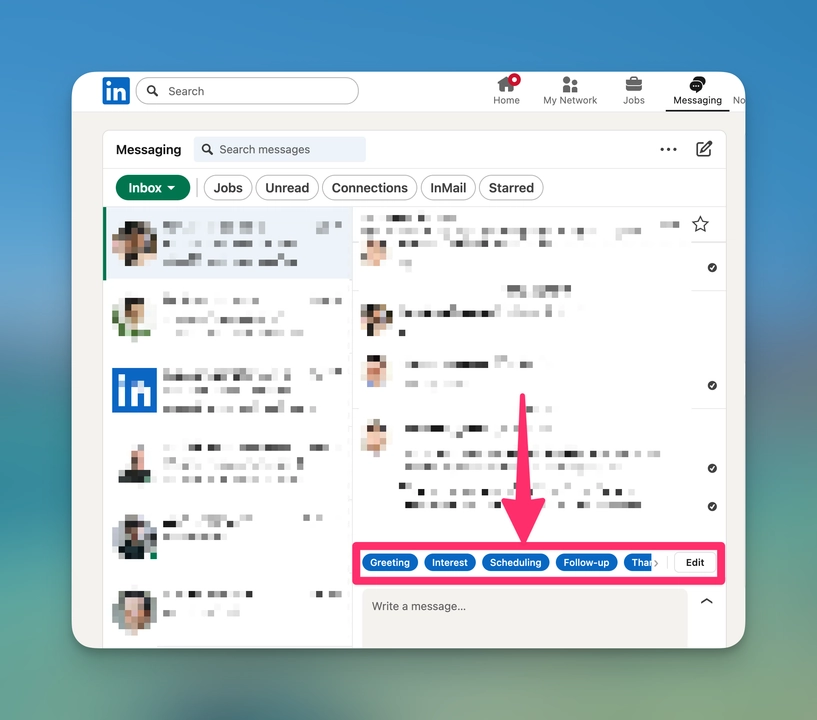
LinkedIn integration is now live.
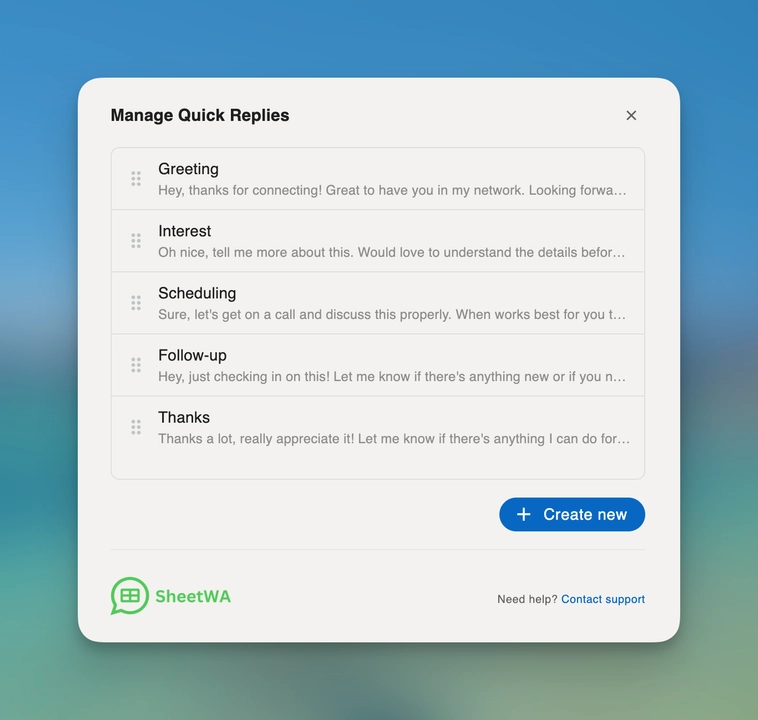
Use Quick Replies inside LinkedIn messages to respond faster.
Get started quickly with pre-built replies for LinkedIn conversations.
Improvements
Improved message sending experience with better media options and cleaner design.
More reliable labels and Quick Reply selection across your workflow.
Fixes
Fixed issues with requests timing out for a smoother experience.
Resolved cases where messages showed as sent but were not actually delivered.
Fixed Google Sheets issues affecting data syncing.
Improved stability across different devices, including Windows systems.
Fixed errors and crashes caused by unexpected data issues for a more reliable experience.
April 5, 2026
Send Messages to Groups Faster and Smarter
New Features
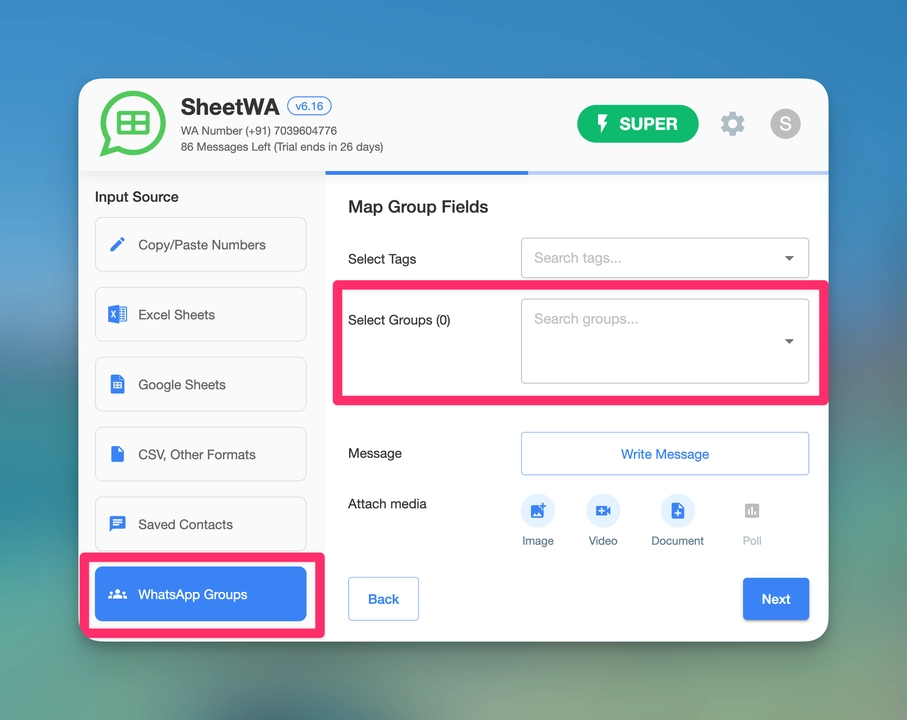
Group Messaging is now live. Send messages to multiple groups from one place
Export group details like group names and member count
Organize groups with tags and message multiple groups at once without selecting them individually.
Dedicated Group Messaging section to view, manage, and remove groups
Download and manage your group list anytime for better control.
Improvements
Better font size and readability across single and multi-select options.
Added option to control label visibility within privacy settings.
Clearer message shown when usage limits are reached.
Fixes
Fixed issues where messages were stuck as drafts or not sending.
Resolved problems with attachments not being sent properly.
Fixed contact export issue where phone numbers were missing.
Fixed issues with workspace linking and initial data syncing.
Improved handling of extension data and version tracking.
March 26, 2026
Better Privacy Controls and More Stable Experience
Improvements
Labels now work better even when privacy settings are enabled, including in dark mode.
You can now hide Quick Replies and Labels for a cleaner WhatsApp interface.
Improved flow to create chat labels directly after starting a Super trial.
Updated design for the SheetWA refresh prompt
Fixes
Resolved problems where login screen appeared unexpectedly or wrong plan was shown.
Fixed Quick Reply glitches for more reliable usage.
Corrected issues with labels not saving chat details properly.
Fixed UI issues like text formatting overlap, label placement, and icon flicker.
Improved handling of large media files and sending limits to avoid errors.
March 17, 2026
Labels Now Work Across All Chats and Groups
Improvements
Labels now work better across communities and group chats for a more consistent experience.
Label experience has been refined to feel more native and seamless inside WhatsApp.
Fixes
Fixed issues where Quick Replies were not getting created properly.
Resolved login problems to ensure a more stable and persistent session.
Fixed access issues with Google Sheets so your data loads correctly without errors.
Corrected problems where labels were not visible or behaved inconsistently in groups and communities.
March 1, 2026
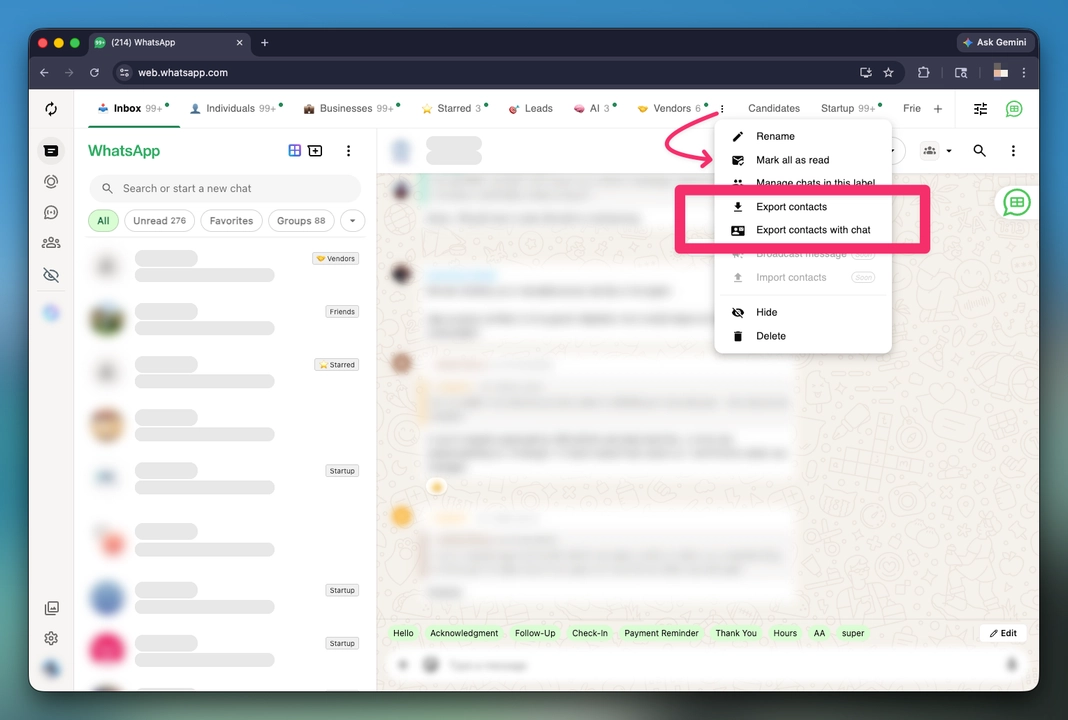
Export Contacts from Chat Labels
New Features
Export all your contacts that marked in a label
Export contacts along with their chats to keep complete conversation records.
Improvements
Labels now display more reliably and consistently across your chats.
Fixes
Fixed an issue where Google Sheets data was not loading properly.
Resolved problems where labels were not visible or opened the login screen unexpectedly.
Fixed issues affecting business accounts and chats not working correctly.
February 24, 2026
Organize WhatsApp Chats with Smart Labels
New Features
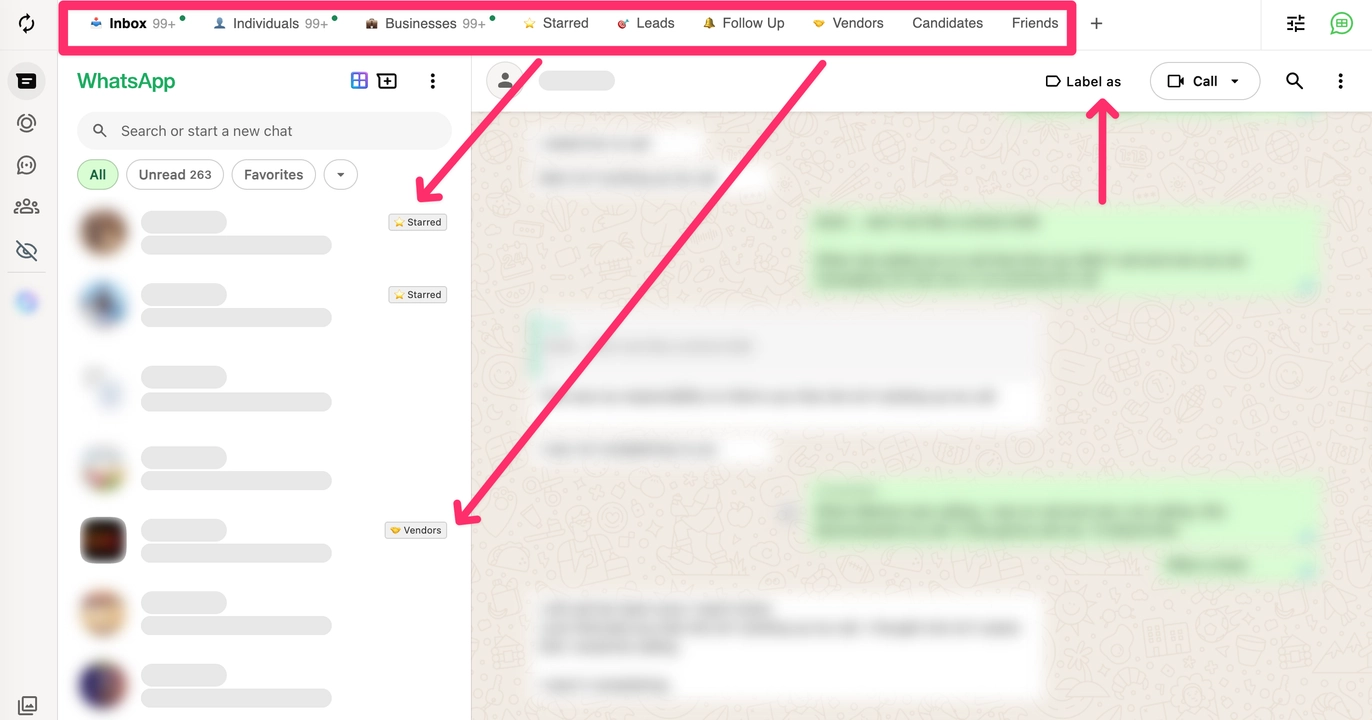
Gmail-style chat labels on WhatsApp Web. You can now label chats to keep your WhatsApp inbox better organized.
Apply labels to multiple chats at once using a simple selection window.
Unread indicators for each label so you can instantly see which groups of chats need attention.
Optional label visibility allowing you to hide labels you do not want to see in the label bar.
Hovering over a label now shows the total number of chats inside it.
Improvements
Mark all chats in a label as read with one click.
Labels are now visible directly beside chats in the sidebar, making it easier to identify conversations at a glance.
Improved reliability of plan information loading in the extension header.
Fixes
Fixed a login issue that occurred when WhatsApp names contained special characters.
Corrected the default workspace name display.
Fixed notification messages so they automatically disappear after a few seconds.
Prevented deleted default labels from reappearing automatically.
Fixed an issue where message counts were not visible on initial load.
January 27, 2026
Save Time with One-Click Replies
New Feature
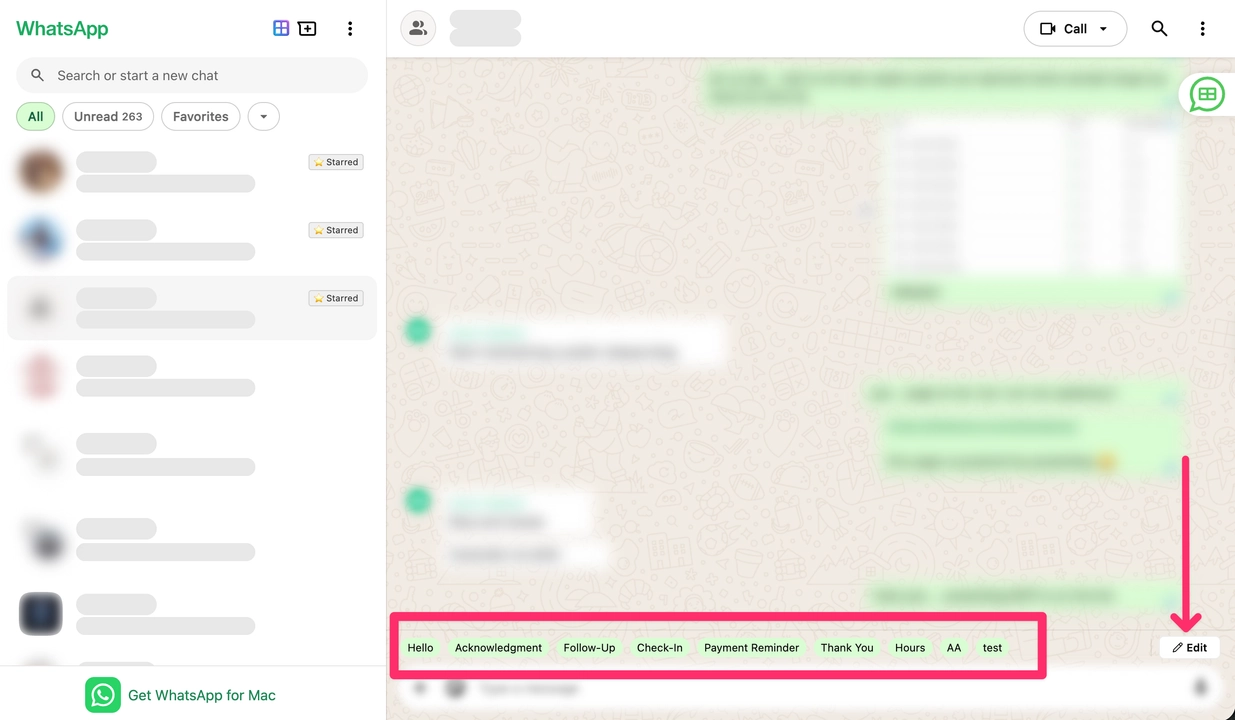
Quick Reply is here. You can now create reusable messages and send them anytime with just one click. Perfect for messages you send again and again.
Improvements
Editing a Quick Reply now works smoothly without opening the wrong screen.
The Quick Reply edit icon now stays visible and accessible.
You will now see clear feedback when a Quick Reply is created, edited, or deleted.
Fixes
Resolved a login-related error reported in some cases.
Fixed notification pop-up display issues.
Addressed rare errors that caused unexpected crashes during certain actions.
December 26, 2025
Improved Stability and Message Status Handling
New Features
Smarter extension update handling for uninterrupted use
Clear display of the current extension version
Improved tracking for message delivery status
Improvements
Faster and more stable message sending
Better recovery when chats take longer to open
Extension now retains progress after updates
Fixes
Fixed messages getting stuck while sending
Fixed incorrect or missing message status updates
Resolved extension issues after updates
February 14, 2025
New Feature: Add Timestamp to Message + Option to Unsubscribe
We're bringing you fresh tools to make your messages smarter and give your contacts more control—say hello to timestamps and unsubscribe options!
What's New & Awesome:
Add timestamps to your messages to lower the chance of getting blocked—keep things flowing smoothly!
Your contacts can now opt out easily with a new unsubscribe text, making message delivery cleaner and hassle-free.
We've squashed some tiny bugs and boosted compatibility with WhatsApp—editing messages just got even slicker!
November 18, 2025
Enhancements: New and Enhanced Editor
Get ready for a slicker editor and messages that reach their target like never before—this update is all about making your life easier!
What's New & Fantastic:
A more intuitive editor with extra formatting options and easy variable selection—craft messages your way!
Fixed that pesky issue where changes didn't show up after switching to the preview screen. Now it's all seamless!
Message delivery just got a massive upgrade—90% improved, so your words land where they're meant to, every time!