SheetWA for Marketing
Turn Ad Clicks into Conversions in Seconds
Capture intent from Click-to-WhatsApp ads and convert with auto-triggered chat flows that personalise every reply.
SheetWA gives your business the official WhatsApp API (WhatsApp Business API) to run broadcasts, a shared team inbox, AI replies and automations from one place, while you keep your number in the WhatsApp Business app.
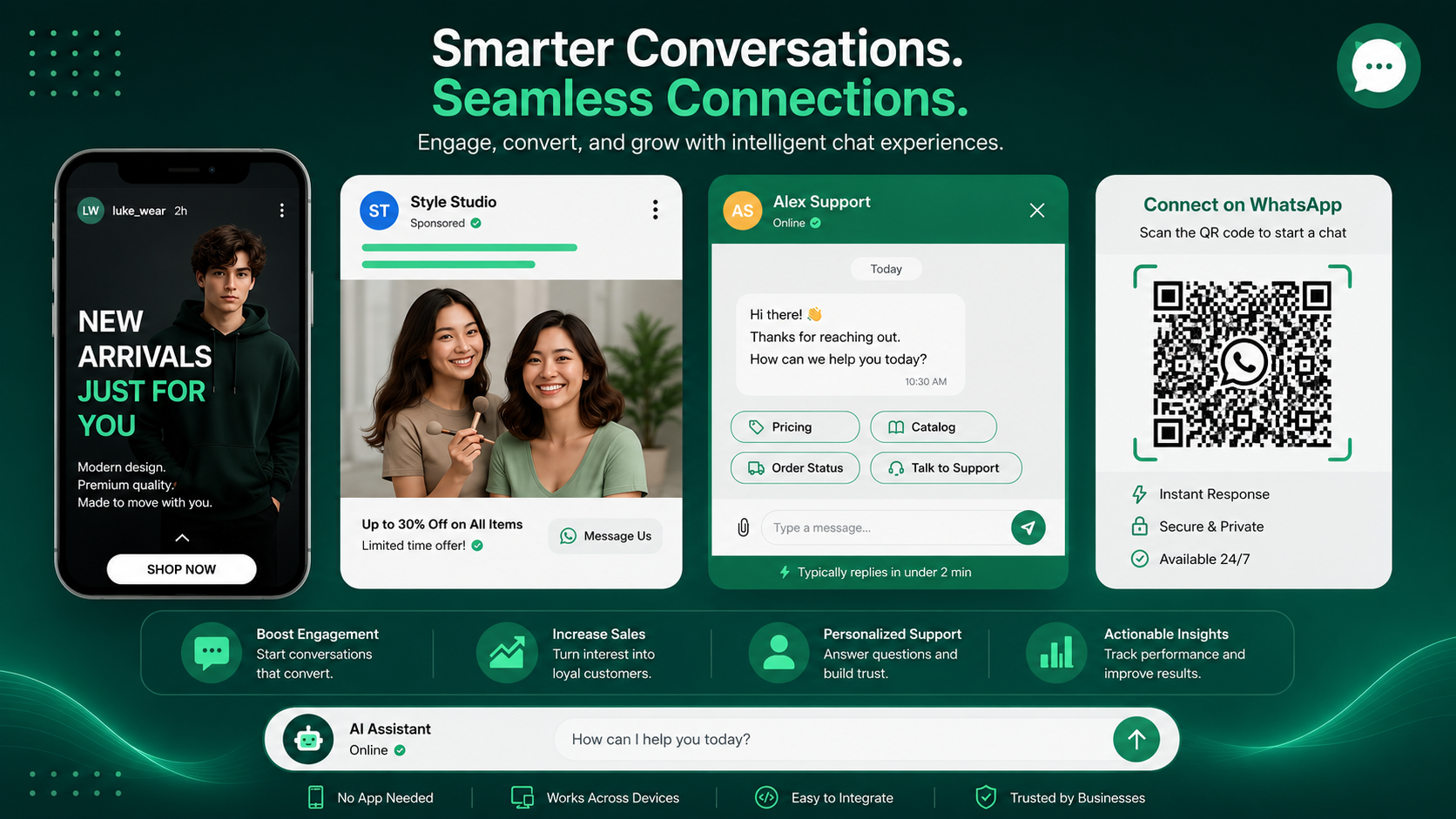
The WhatsApp Business API, now called the WhatsApp Business Platform, is Meta's official way to send and receive WhatsApp messages from software. Most businesses use the hosted WhatsApp Cloud API through a WhatsApp API provider, and with coexistence your number stays live in the WhatsApp Business app.
Built on the Meta WhatsApp API, with templates Meta reviews.
Coexistence mode keeps it live in the WhatsApp Business app, chat history included.
Connect, import contacts and send from the SheetWA dashboard.
The free app is built for one phone. Use the WhatsApp Business API for bulk messaging and a whole team.
| Feature | WhatsApp Business API with SheetWA | WhatsApp Business app |
|---|---|---|
| Who can reply | Your whole team in one shared inbox, with roles | One phone plus up to 4 linked devices |
| Broadcast reach | Unlimited contacts, no saved-number rule | Lists of up to 256 contacts, only people who saved your number |
| Messages | Meta-approved templates with buttons, delivered and read reports | Plain messages |
| Automation | Keyword auto-replies, date-based sends, chatbot flows | Greeting and away message |
| Contact data | Tags, custom fields, chat activity, import from Google Sheets | Labels |
| Opt-outs | STOP and START handled on every send | Manual |
| Blue tick | Free to apply as an Official Business Account | Paid Meta Verified subscription |
| Cost | SheetWA plan plus Meta's per-message charges | Free app |
Who can reply
WhatsApp Business API with SheetWA
Your whole team in one shared inbox, with rolesWhatsApp Business app
One phone plus up to 4 linked devicesBroadcast reach
WhatsApp Business API with SheetWA
Unlimited contacts, no saved-number ruleWhatsApp Business app
Lists of up to 256 contacts, only people who saved your numberMessages
WhatsApp Business API with SheetWA
Meta-approved templates with buttons, delivered and read reportsWhatsApp Business app
Plain messagesAutomation
WhatsApp Business API with SheetWA
Keyword auto-replies, date-based sends, chatbot flowsWhatsApp Business app
Greeting and away messageContact data
WhatsApp Business API with SheetWA
Tags, custom fields, chat activity, import from Google SheetsWhatsApp Business app
LabelsOpt-outs
WhatsApp Business API with SheetWA
STOP and START handled on every sendWhatsApp Business app
ManualBlue tick
WhatsApp Business API with SheetWA
Free to apply as an Official Business AccountWhatsApp Business app
Paid Meta Verified subscriptionCost
WhatsApp Business API with SheetWA
SheetWA plan plus Meta's per-message chargesWhatsApp Business app
Free appCapture intent from Click-to-WhatsApp ads and convert with auto-triggered chat flows that personalise every reply.
Segment your audience, schedule sends, and personalise every message at scale — without spamming.
Drip flows that nurture leads, recover carts, and re-engage warm contacts on autopilot.
Your WhatsApp Business API application, from sign-up to your first broadcast, done in one dashboard.
Sign up for the 7-day free trial. No card needed to look around.
Keep your current number in coexistence mode, or bring a new one. Meta confirms it with a one-time code.
Write your first message template in SheetWA. Meta reviews it, usually within a day.
Bring your list from Google Sheets, Excel or CSV, pick an audience by tag, and send your first broadcast.
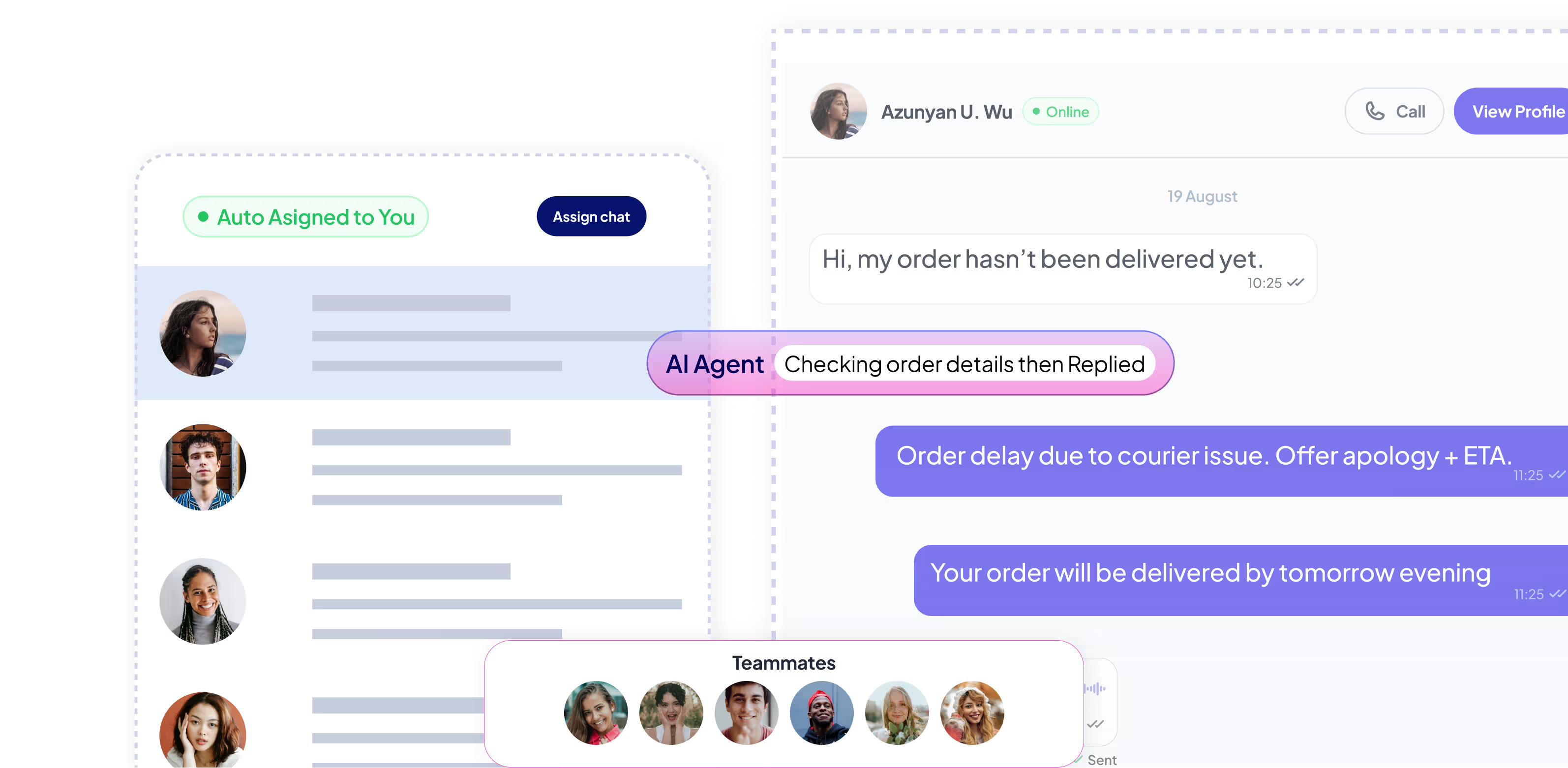
Unified inbox with assignment, internal notes, and a full audit trail so every customer gets the attention they deserve.
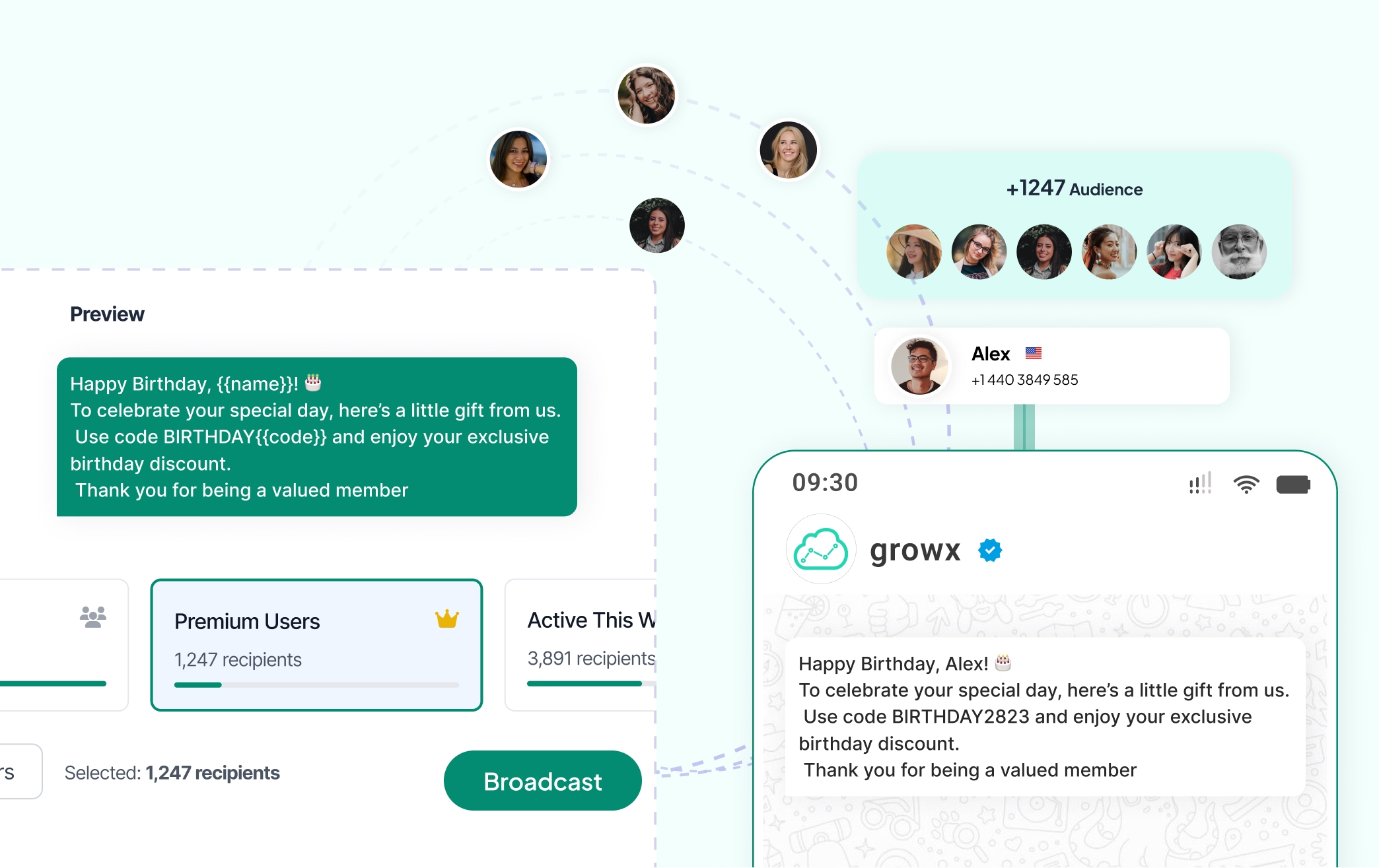
Send targeted messages to thousands of customers with scheduling and per-segment personalisation, with delivery tracked in real time.
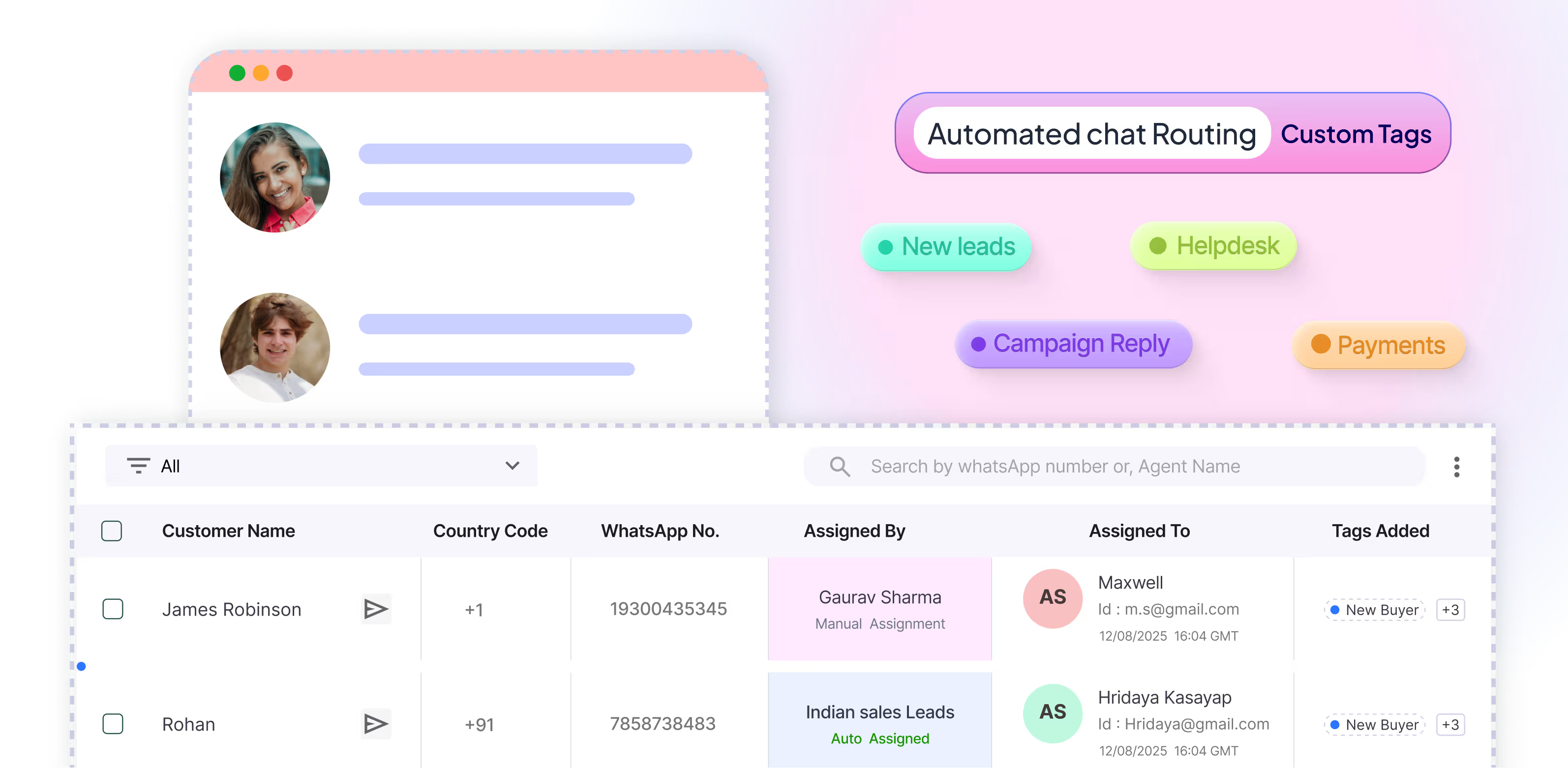
Organise and segment contacts with custom fields, tags, and smart filters for highly personalised follow-ups.
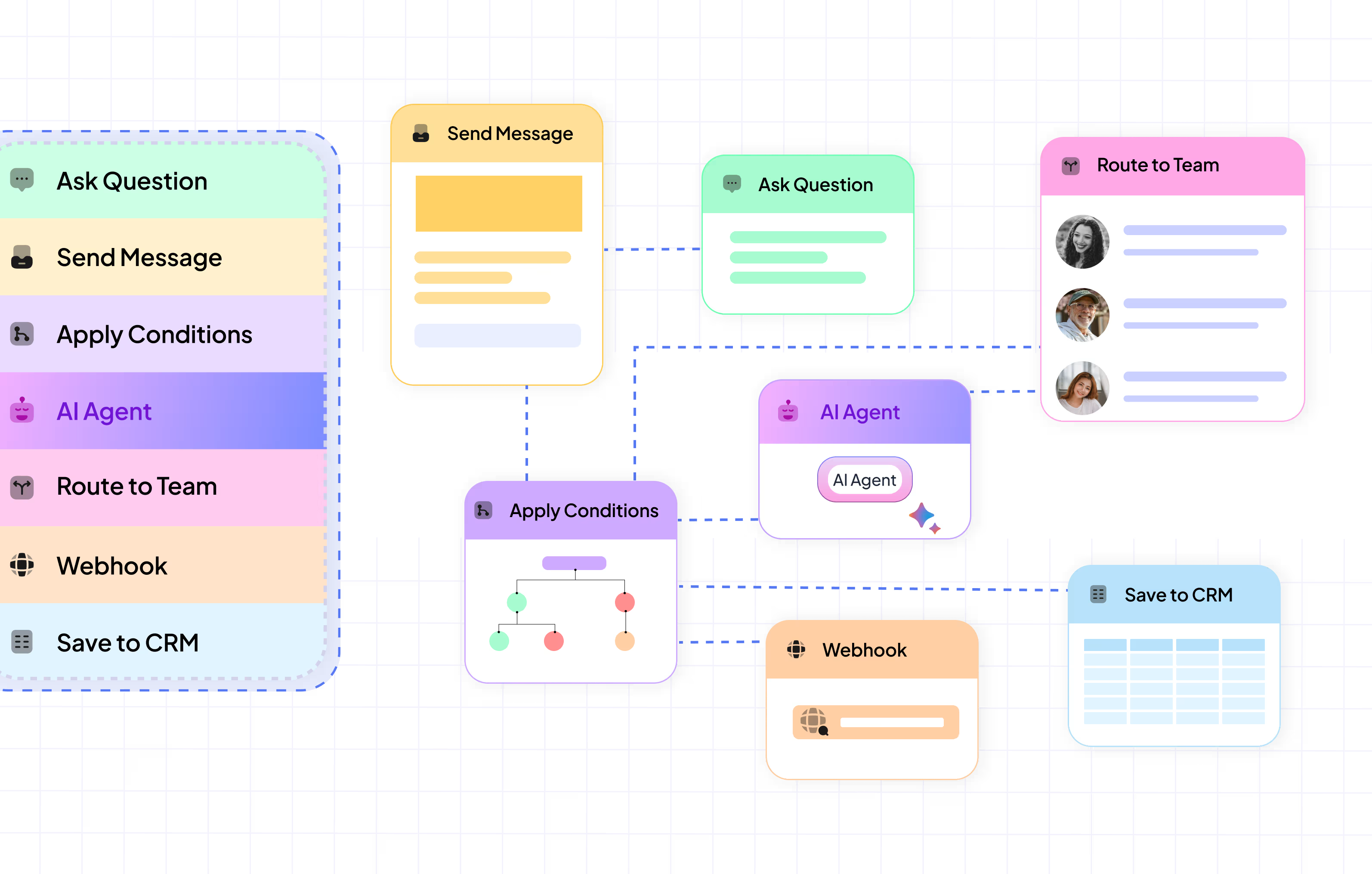
Build intelligent chatbots with a visual flow builder. Automate conversations, qualify leads, and offer instant support 24/7.
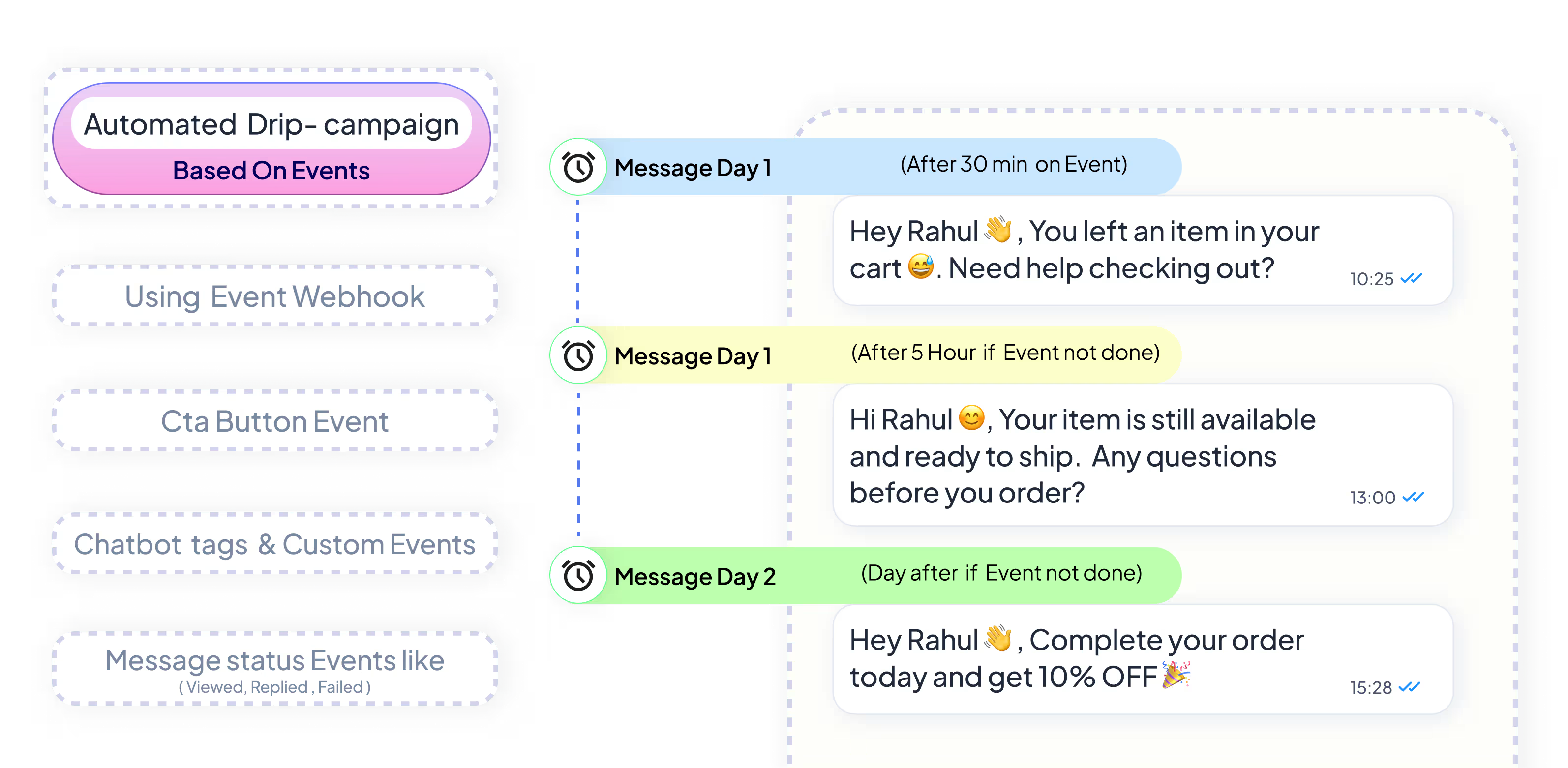
Nurture leads with automated sequences. Set up triggers, delays, and conditions to send the right message at exactly the right moment.
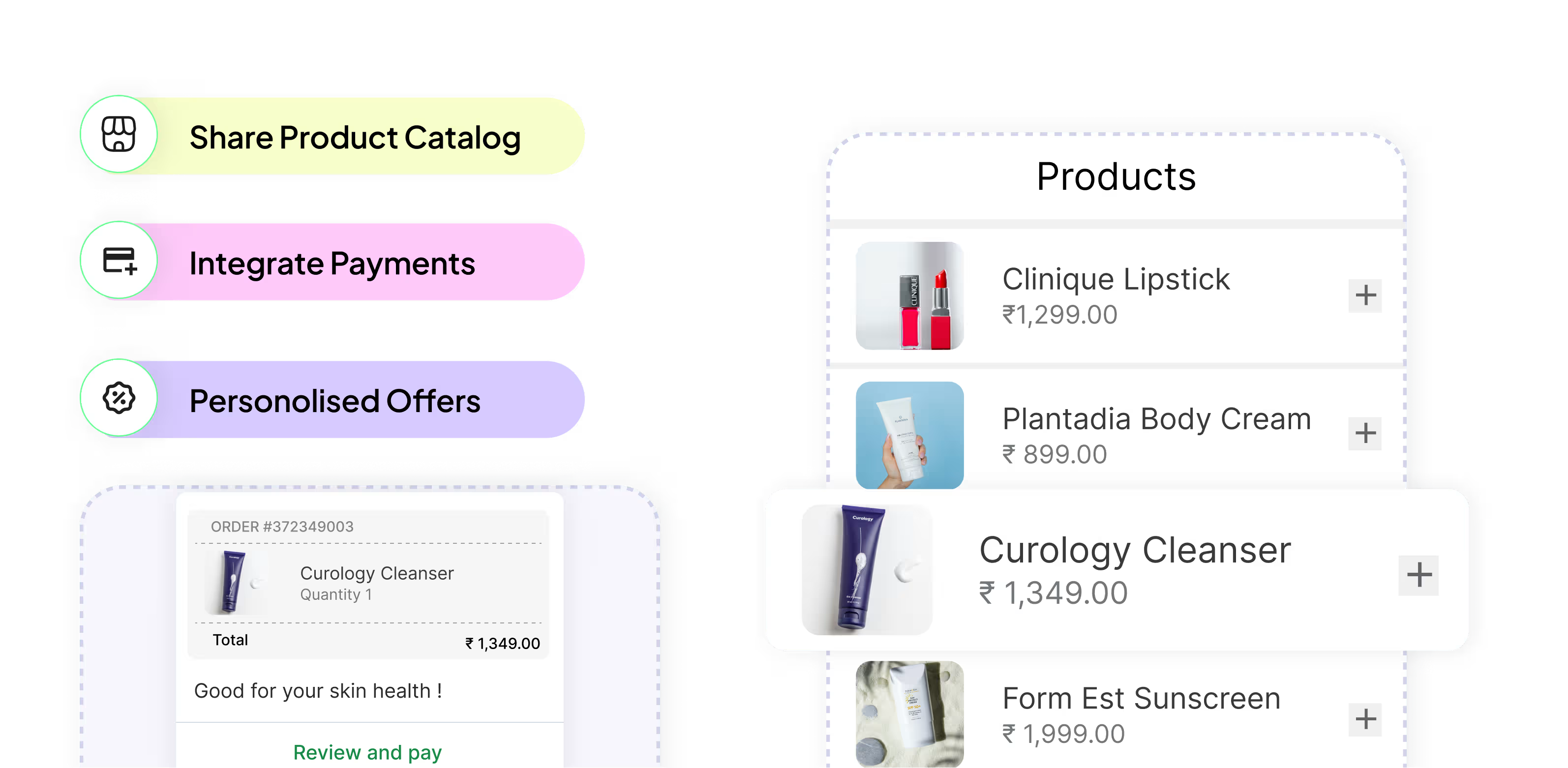
Showcase your products directly inside the chat. Create rich catalogs, share details, and drive sales without losing context.
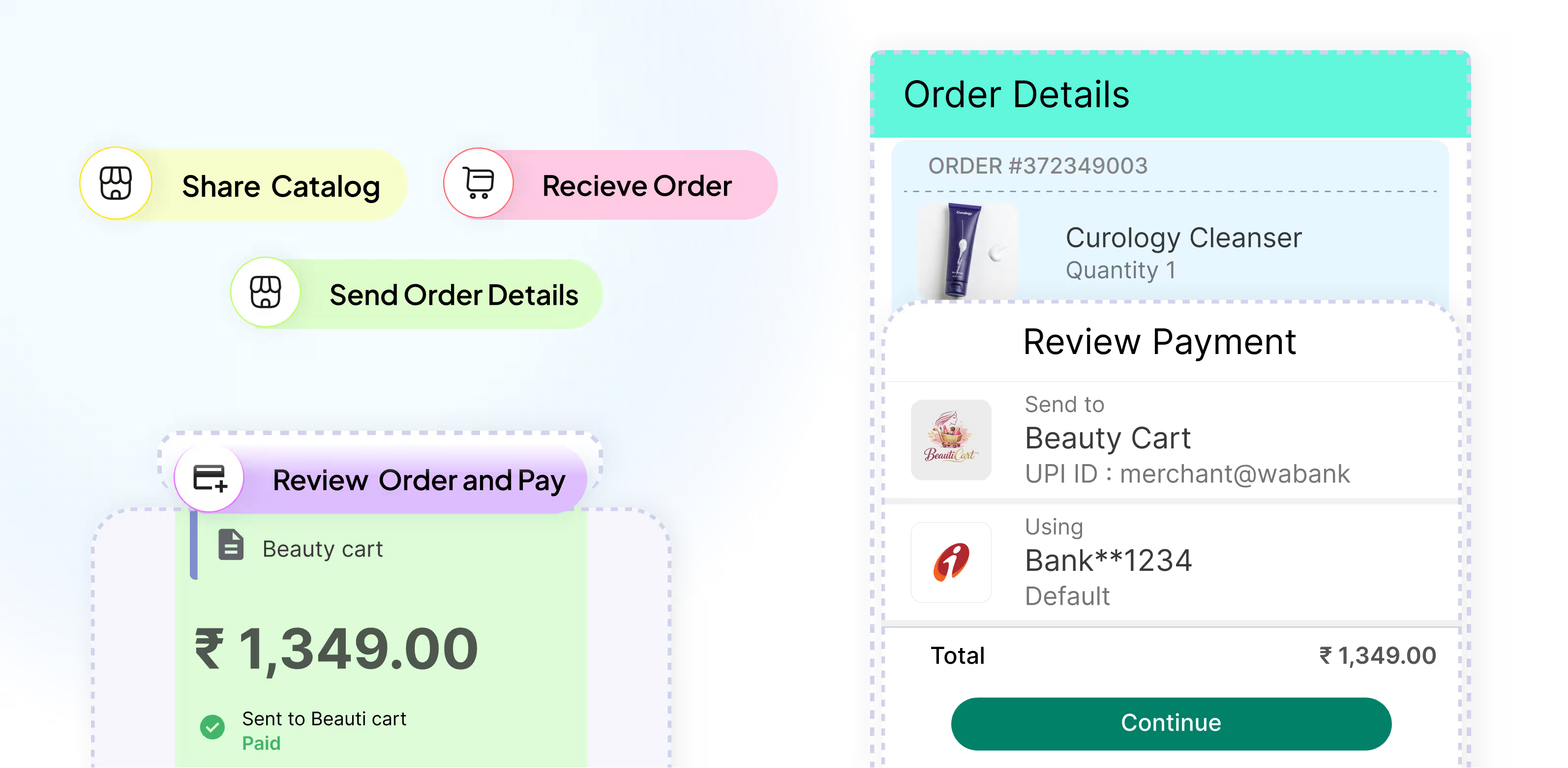
Accept payments inside conversations with secure, seamless transactions that turn chats into conversions instantly.
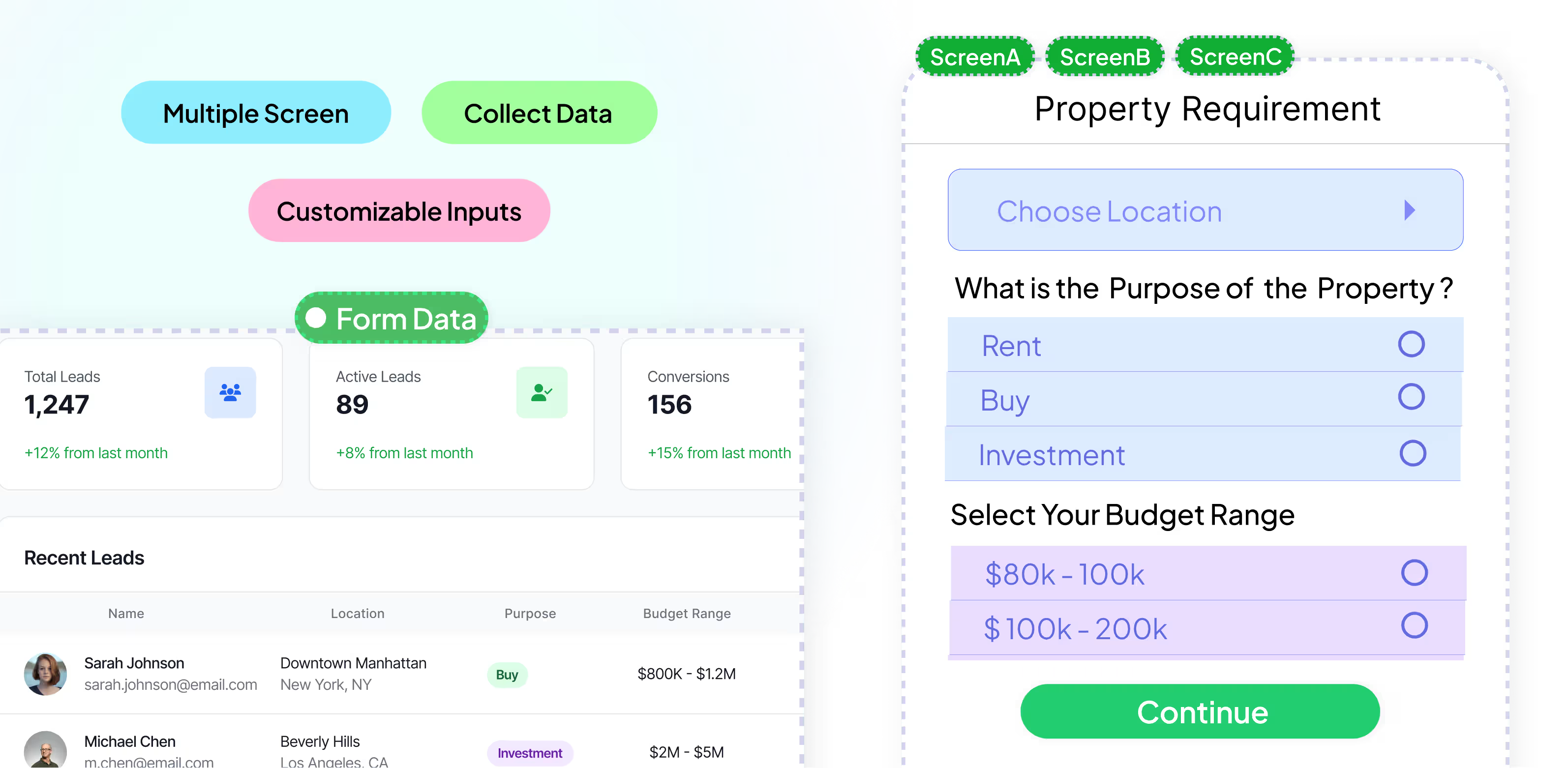
Collect leads and feedback with interactive forms inside the chat thread — without breaking the flow of conversation.
See how businesses across industries use the WhatsApp Business Platform to engage customers, increase sales, and simplify communication.
Engage students, automate inquiries, and simplify admissions with WhatsApp for education.
Learn moreEnhance service, streamline KYC, improve security, and boost efficiency with WhatsApp.
Learn moreBook appointments, share health tips, and provide personalized care through WhatsApp.
Learn moreSend itineraries, confirmations, and real-time travel updates via WhatsApp.
Learn moreSchedule test drives, send service reminders, and offer instant support using WhatsApp.
Learn moreBoost online sales, send order updates, and automate customer support using WhatsApp.
Learn moreSchedule viewings, share listings, and close deals faster with WhatsApp communication tools.
Learn moreSupport clients, provide updates, and manage issues efficiently using WhatsApp.
Learn moreEngage customers, send offers, and automate post-sale service via WhatsApp tools.
Learn moreBoost registrations, send reminders, and gather feedback effortlessly via WhatsApp.
Learn moreAutomate orders, send quick replies, manage customers, and grow sales directly through WhatsApp.
Learn moreModernize communication with automation, secure messaging, and scalable WhatsApp solutions.
Learn moreYour WhatsApp API cost has two parts: a monthly plan for the software, and Meta's charges per delivered message. Under current WhatsApp Business API pricing, template messages are charged and the first 1,000 replies per number each month are free. Estimate a month with the WhatsApp pricing calculator and compare plans on the pricing page.
Weekly listing updates to 200+ buyer leads, personalized from a Google Sheet with property prices and neighborhoods per buyer. Closed two deals last month from blast replies alone.
Maria
Real Estate
We send our Friday lunch promo to about 300 regulars from a sheet. Usually pulls in around 20 orders, and six months of weekly sends in we haven't had any trouble.
HDA Pizzeria
Restaurant
RSVPs and reminders for 8 to 10 events a month. SheetWA turned a two person job into one person hitting send. Reply tracking flags the "can't make it" responses early.
K2 Events
Event Planner
Cohort enrollment used to be a copy and paste nightmare. Personalized by program and batch from a sheet, with 20% more replies than our previous manual round.
Infinity
Coaching Institute
Pulled lapsed clients from our spreadsheet and sent them a discount code. 15 booked sessions in a week. Staggered scheduling lets me prep once on Sunday.
Soulfull
Wellness Center
Quarterly portfolio updates to 400 clients used to eat two full days. Now it's a sheet refresh and one click, with mail merge handling each client name and advisor. Even compliance signed off after seeing the logs.
Rajesh Kumar
Financial Advisory
Transform customer conversations into revenue with AI-powered engagement on WhatsApp.
Get Started For Free