Webinar Reminder Template: 20+ WhatsApp Messages
Get registrants to show up with reminders before and at start time. Copy a webinar reminder template and send it to every attendee.
Updated October 2026. 22 templates, all copy-paste ready.
Preview
Hi {{Name}}, you're registered! 🎉 🎤 Webinar: {{Webinar Title}} 📅 {{Date}} at {{Time}} IST 🔗 Your join link will arrive here an hour before we go live Add it to your calendar so you don't miss it: {{Calendar Link}} See you there! {{Host Name}}
10:24Every {{placeholder}} fills from the Google Sheet column with the same name.
Webinar registration confirmed messages with a calendar link
Send right after sign-up. Confirm the seat and get the session into their calendar.
Hi {{Name}}, you're registered! 🎉 🎤 Webinar: {{Webinar Title}} 📅 {{Date}} at {{Time}} IST 🔗 Your join link will arrive here an hour before we go live Add it to your calendar so you don't miss it: {{Calendar Link}} See you there! {{Host Name}}
10:24Hello {{Name}}, your seat for our free webinar is confirmed. ✅ 🎤 Topic: {{Webinar Title}} 📅 Date: {{Date}} 🕒 Time: {{Time}} IST ⏱️ Duration: {{Duration}} minutes Save the date: {{Calendar Link}} Got a question for the speaker? Reply with it and we will try to cover it.
10:24Thanks for registering, {{Name}}! 🎉 🎙️ {{Speaker Name}} walks through {{Topic}} live 📅 {{Date}} at {{Time}} 📲 Save this number so reminders and the join link reach you Calendar invite: {{Calendar Link}}
10:24Dear {{Name}}, your registration for the {{Company}} webinar is confirmed. ✅ 🎤 Webinar: {{Webinar Title}} 🆔 Registration ID: {{Registration ID}} 📎 The agenda and speaker details are attached Add the session to your calendar: {{Calendar Link}}
10:24Webinar reminder messages 24 hours before
One day out. Remind them what they will learn, and lock in the time.
Hi {{Name}}, a quick reminder: your webinar is tomorrow! ⏰ 🎤 Webinar: {{Webinar Title}} 🕒 Time: {{Time}} IST 💡 In {{Duration}} minutes you will learn {{Benefit}} 🔗 Your join link will come here an hour before Can't make it? Reply LATER and we will send you the recording.
10:24Hello {{Name}}, just 24 hours to go! ⏰ 🎙️ {{Speaker Name}} goes live with {{Topic}} 🕒 Tomorrow at {{Time}} 📝 Keep a notebook handy, there is a live Q&A at the end Calendar link: {{Calendar Link}}
10:24Dear {{Name}}, this is a reminder of the {{Company}} webinar tomorrow. ⏰ 🎤 Webinar: {{Webinar Title}} 📅 {{Date}} at {{Time}} IST 💻 Please join from a laptop for the best view of the slides Join link: {{Link}}
10:24{{Name}}, tomorrow's the day! ⏰ 🎤 {{Webinar Title}} starts at {{Time}} ❓ Bring one question about {{Topic}} We will answer as many as we can live. See you there.
10:24Webinar reminder template for 1 hour before, with the join link
The reminder that matters most. Lead with the join link and the start time.
Hi {{Name}}, we go live in 1 hour! 🔴 🎤 {{Webinar Title}} at {{Time}} IST 🆔 Meeting ID: {{Meeting ID}} 🔑 Passcode: {{Passcode}} 🎧 Join 5 minutes early to test your audio Join here: {{Link}}
10:24Hello {{Name}}, your webinar begins in 60 minutes. 🔴 🎤 Webinar: {{Webinar Title}} ☕ Grab a chai and get comfortable 🎁 {{Speaker Name}} has a surprise for everyone who joins live Your personal join link: {{Link}}
10:24Dear {{Name}}, the {{Company}} webinar starts in one hour. 🔴 🕒 Starts at {{Time}} 📧 Sign in with the email you registered with: {{Email}} Join link: {{Link}}
10:24{{Name}}, 1 hour to go! 🔴 🎤 Webinar: {{Webinar Title}} 🎁 Everyone who stays till the end gets {{Bonus}} Your join link: {{Link}}
10:24Webinar starting now messages
Short and urgent. The link should be the first thing they can tap.
{{Name}}, we're live now! 🔴 🎤 Webinar: {{Webinar Title}} 🎙️ {{Speaker Name}} is just getting started Join here: {{Link}}
10:24Hi {{Name}}, the webinar has just started! 🔴 🎤 Webinar: {{Webinar Title}} 👥 {{Number}} people are already in ⏳ The main session begins in 5 minutes It's not too late. Tap to join: {{Link}}
10:24Starting now! 🔴 See you inside, {{Name}}. 🎤 {{Webinar Title}} with {{Speaker Name}} 🆔 Meeting ID: {{Meeting ID}} 🔑 Passcode: {{Passcode}} Join link: {{Link}}
10:24Missed the webinar? Messages with the recording link
Not everyone shows up. Send the recording within a day, while the interest is still warm.
Hi {{Name}}, sorry we missed you at the webinar. 💛 🎤 Webinar: {{Webinar Title}} ⏳ Available till {{Date}} ⏩ Jump to {{Timestamp}} for the part about {{Topic}} Full recording: {{Recording Link}}
10:24Hello {{Name}}, life happens! 😊 🎤 The recording of {{Webinar Title}} is ready 📎 The slides are attached too 💬 Reply with any question and {{Speaker Name}} will answer it personally Watch here: {{Recording Link}}
10:24Dear {{Name}}, thank you for registering. 🙏 🎤 Webinar: {{Webinar Title}} ⏳ The link expires on {{Date}} As you could not join live, here is the session recording: {{Recording Link}}
10:24Webinar follow-up messages with an offer or the next session
Thank attendees, share the next step, and end every offer with an opt-out.
Hi {{Name}}, thank you for joining {{Webinar Title}}! 🎉 🎁 As promised, {{Discount}}% off {{Course Name}} 🏷️ Code: {{Code}} 📅 Valid till {{Date}} Enrol here: {{Link}} Reply STOP to opt out of offers.
10:24Hello {{Name}}, loved having you at today's session. 🎉 🎤 Next webinar: {{Next Webinar Title}} 📅 {{Date}} at {{Time}} Reserve your seat in one tap: {{Link}} Reply STOP to opt out.
10:24Dear {{Name}}, thank you for attending {{Webinar Title}}. 🙏 🖥️ A free 15-minute demo of {{Product}} for your team 📅 Pick a time that suits you Book here: {{Link}} Reply STOP if you prefer not to hear from us.
10:24{{Name}}, here are the slides and recording from today. 🎬 📎 Recording: {{Recording Link}} 💰 Early-bird price: Rs. {{Price}} for {{Program Name}} ⏳ Closes on {{Date}} Questions? Just reply here. Reply STOP to opt out.
10:24What a webinar reminder message should include
Every reminder has one job: get the registrant to show up. These details make that easy.
- The registrant's name
- Webinar title and speaker name
- Date and time, with the time zone (IST for India)
- The join link, plus meeting ID and passcode if needed
- A calendar link in the confirmation message
- One line on what they will learn or get
- A reply option for questions or a recording request
- An opt-out line on any offer in the follow-up
Common mistakes in webinar reminder messages
- Sending the join link only by email, where it gets buried under a dozen other mails on the day.
- Skipping the 1-hour reminder, which is the one that turns registrations into live attendees.
- Leaving out the time zone, so people in other cities or countries join at the wrong time.
- Never sending the recording, which wastes the interest of everyone who registered but could not attend.
Send a webinar reminder to every registrant with SheetWA
- 1
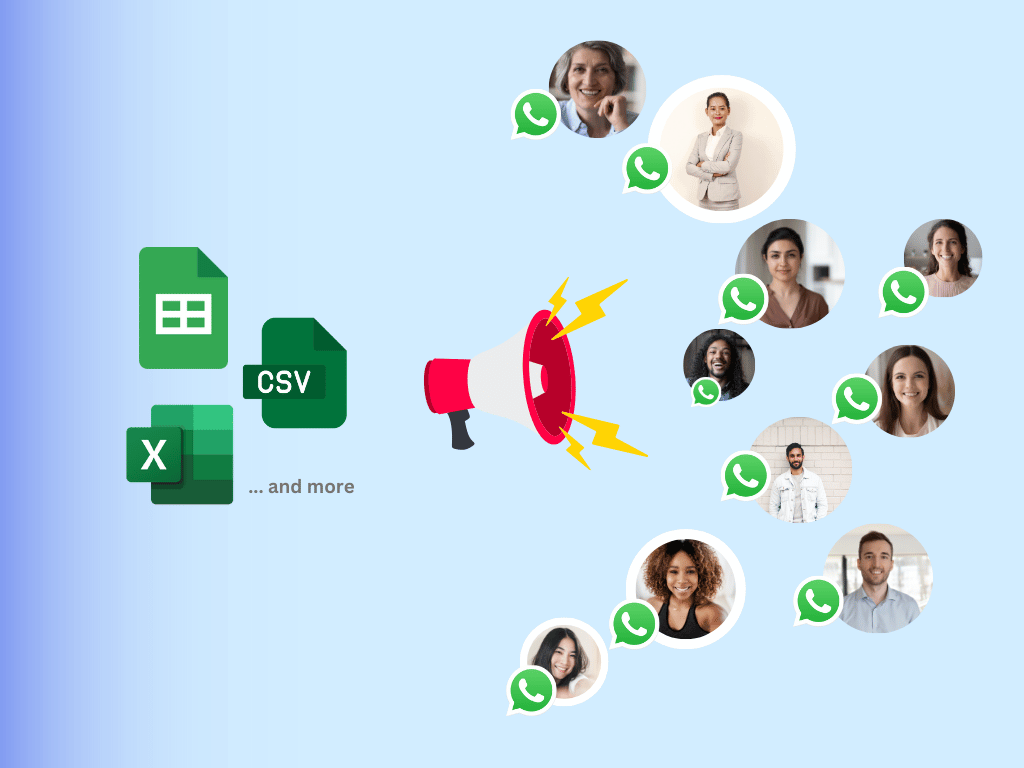
Export registrations into a Google Sheet with one attendee per row and a column for every placeholder: name, webinar title, date, time, join link.
- 2
Open SheetWA, paste the template, and each placeholder fills from the sheet column with the same name. Every attendee gets their own name and personal join link.
- 3
Attach the agenda PDF or a speaker banner image, preview a few rows, and send. Delivery and read status come back to the sheet.
- Bulk WhatsApp senderSend from Google Sheets
More events and offers templates
All events and offers templatesFrequently asked questions
What is a webinar reminder?
A webinar reminder is a short message sent to people who registered for an online session, telling them when it starts and how to join. Most hosts send a confirmation at sign-up, a reminder 24 hours before, one an hour before with the join link, and the recording afterwards.
How many webinar reminder messages should I send?
Four works for most webinars: a confirmation right after registration, a reminder 24 hours before, one with the join link an hour before, and a starting-now nudge. After the session, send the recording to those who missed it and a thank-you with the next step to those who came.
What should a webinar reminder message say?
Name the registrant, the webinar title and the speaker. Give the date and time with the time zone, the join link, and one line on what they will learn. On the 1-hour reminder, put the join link first. Keep it to a few short lines so it is easy to act on from a phone.
How do I write a webinar reminder template that gets people to attend?
Lead with the benefit, not the logistics: tell them what they will learn in the session. Then give the time and the join link. Add a small reason to come live, such as a Q&A, a bonus resource or a live-only offer. Keep the tone friendly and the message short.
Do WhatsApp webinar reminders work better than email?
For most audiences in India, yes. People check WhatsApp through the day, while webinar emails often land in a promotions folder. Many hosts send both: email with the full details and calendar invite, and WhatsApp for the 1-hour and starting-now reminders that drive live attendance.
When should I send the webinar recording?
Within 24 hours of the session, while people still remember why they signed up. Send it to everyone who registered but did not attend, with a line pointing to the most useful part. Give the link an expiry date if you want people to watch it soon.
Can I send webinar reminders on WhatsApp to all registrants at once?
Yes. Export registrations from your form or webinar tool into a Google Sheet, paste a template into SheetWA, and send one personalised message per row from your own WhatsApp number. Each registrant sees their own name and join link.
Do I need the WhatsApp Business API for webinar reminders?
Not for a few hundred registrants. The SheetWA Chrome extension sends from your existing WhatsApp Web session. For large webinars with thousands of sign-ups, or reminders triggered automatically from your registration form, use the SheetWA WhatsApp API with approved templates.