Room Booking Confirmation Message: 20+ WhatsApp Templates
Confirm the stay, dates and check-in details in one message. Copy a room booking confirmation message and send it to every guest.
Updated October 2026. 22 templates, all copy-paste ready.
Preview
Dear {{Name}} 🏨 Your booking at {{Hotel Name}} is confirmed. 🆔 Booking ID: {{Booking ID}} 📅 Check-in: {{Check-in Date}}, {{Check-in Time}} 📅 Check-out: {{Check-out Date}}, {{Check-out Time}} 🛏️ Room: {{Room Type}} for {{Guests}} guests We look forward to hosting you.
10:24Every {{placeholder}} fills from the Google Sheet column with the same name.
Room booking confirmation message with stay details
The core message. Name the hotel, the dates, the room and the booking ID so the guest never has to search their inbox.
Dear {{Name}} 🏨 Your booking at {{Hotel Name}} is confirmed. 🆔 Booking ID: {{Booking ID}} 📅 Check-in: {{Check-in Date}}, {{Check-in Time}} 📅 Check-out: {{Check-out Date}}, {{Check-out Time}} 🛏️ Room: {{Room Type}} for {{Guests}} guests We look forward to hosting you.
10:24Hi {{Name}} 🏨 Thank you for choosing {{Hotel Name}}. 🛏️ {{Room Type}} for {{Nights}} nights from {{Check-in Date}} 💰 Total: Rs. {{Amount}}, including taxes 🍽️ Meal plan: {{Meal Plan}} Your confirmation voucher is attached.
10:24Hi {{Name}}, your room is confirmed 🏨 📍 {{Hotel Name}}, {{City}} 📅 {{Check-in Date}} to {{Check-out Date}} 🛏️ {{Rooms}} room(s), {{Guests}} guests 🆔 Booking ID: {{Booking ID}} Show this message at the front desk, or call {{Phone}} for anything.
10:24Dear {{Name}}, greetings from {{Hotel Name}} 🏨 We are pleased to confirm reservation {{Booking ID}}. 🛏️ {{Room Type}} 📅 {{Check-in Date}} to {{Check-out Date}} 💰 Rs. {{Rate}} per night plus GST Early check-in depends on availability. Front office: {{Phone}}
10:24Hotel booking confirmation message for homestays and resorts
Warmer and more personal. Small properties win repeat guests with a host's name and a line about the place.
Hi {{Name}} 🏡 Your stay at {{Property Name}} is confirmed. 📅 {{Check-in Date}} to {{Check-out Date}} 👤 I am {{Host Name}}, your host. Caretaker {{Caretaker Name}} will meet you at the gate. 🆔 Booking ID: {{Booking ID}} See you soon!
10:24Booking confirmed, {{Name}}! 🌿 🏡 {{Cottage Name}} at {{Resort Name}} is yours from {{Check-in Date}} for {{Nights}} nights. 🎁 Your package includes {{Inclusions}}. Reply here with your arrival time and any food preferences.
10:24Dear {{Name}} 🌿 Your {{Package Name}} at {{Resort Name}} is confirmed. 👥 Guests: {{Guests}} 📅 Check-in: {{Check-in Date}} from {{Check-in Time}} 🏊 Included activities: {{Activities}} Pool and spa timings are in the attached guide.
10:24Hello {{Name}} 🏔️ Thank you for booking {{Property Name}} in {{Location}}. 🛏️ {{Room Type}} reserved from {{Check-in Date}} 🚗 The last {{Distance}} km is a hill road, so we suggest arriving before dark. 📍 Location pin: {{Map Link}}
10:24Payment received and balance due at check-in
Money messages must be exact. State what was paid, what is left and how to pay it.
Dear {{Name}} 💰 We have received payment for booking {{Booking ID}} at {{Hotel Name}}. ✅ Received: Rs. {{Advance Amount}} 💳 Balance: Rs. {{Balance Amount}}, payable at check-in by cash, card or UPI Your receipt is attached.
10:24Hi {{Name}} ✅ Payment of Rs. {{Amount}} received via UPI. 🧾 Ref: {{UPI Ref}} 🆔 Booking {{Booking ID}} for {{Check-in Date}} is now fully paid. Nothing is due at check-in except any extras you choose.
10:24Hi {{Name}} 🏨 Your room at {{Hotel Name}} is on hold for {{Check-in Date}}. 💰 Advance to confirm: Rs. {{Advance Amount}} ⏰ Pay by {{Deadline}} 🔗 Pay at {{Payment Link}} or to UPI ID {{UPI ID}} Unpaid holds are released after the deadline.
10:24Dear {{Name}} 💰 A reminder that payment is due for booking {{Booking ID}}. 💳 Balance: Rs. {{Balance Amount}} 📅 Settle it at the front desk on {{Check-in Date}}, or pay before arrival for a quicker check-in: {{Payment Link}}
10:24Check-in instructions and directions the day before
Send it the evening before arrival. Timing, directions and what to carry, all in one message.
Hi {{Name}}, we are ready for you tomorrow 🏨 📍 {{Hotel Name}} 🕒 Check-in starts at {{Check-in Time}} 🪪 Please carry a government photo ID for every adult guest. 🗺️ Directions: {{Map Link}} 🚗 Parking: {{Parking Info}}
10:24Dear {{Name}} 🏨 Your check-in at {{Hotel Name}} is tomorrow, {{Check-in Date}}. 🕒 Share your arrival time and we will keep your room ready. 🚕 Airport pickup: Rs. {{Pickup Fee}} Reply PICKUP to book it.
10:24Hi {{Name}}, see you tomorrow! 🔑 🚪 Room {{Room No.}} door code: {{Code}}, active from {{Check-in Time}} 📶 Wi-Fi: {{Wifi Name}}, password {{Wifi Password}} Call {{Host Name}} on {{Phone}} if you get stuck.
10:24Hello {{Name}}, your stay at {{Resort Name}} starts tomorrow 🌿 🗺️ From {{Landmark}}, take the left turn and drive {{Distance}} km to our gate. 📞 Our team will call you at {{Call Time}} to check on your journey. 📍 Map: {{Map Link}}
10:24Booking confirmed message after a change or cancellation
Formal and clear. Confirm the change, the new dates or the refund, and the booking ID.
Dear {{Name}} 📝 Your booking {{Booking ID}} at {{Hotel Name}} is updated. 📅 New dates: {{New Check-in Date}} to {{New Check-out Date}} 🛏️ Room: {{Room Type}} 💰 Revised total: Rs. {{Amount}} The updated voucher is attached.
10:24Hi {{Name}} 📝 As requested, booking {{Booking ID}} for {{Check-in Date}} is cancelled. 💰 Refund: Rs. {{Refund Amount}} 🕒 It reaches your original payment method in {{Days}} working days. We hope to host you another time.
10:24Hi {{Name}} ✅ Your upgrade for booking {{Booking ID}} is confirmed. 🛏️ New room: {{New Room Type}} 💰 The difference of Rs. {{Amount}} will be added to your bill at check-out. Enjoy your stay!
10:24Post-stay thank you messages
Short and friendly. Thank the guest, ask for a review, and give them a reason to come back.
Thank you for staying with us, {{Name}} 🙏 We hope {{Hotel Name}} made your trip easy. ⭐ If you have a minute, please rate your stay: {{Review Link}} Safe travels!
10:24Hi {{Name}} 🙏 It was a pleasure hosting you at {{Property Name}}. 🧾 Your invoice for booking {{Booking ID}} is attached. 🎁 Use code {{Code}} for {{Discount}}% off your next direct booking before {{Date}}. Reply STOP to opt out of offers.
10:24Dear {{Name}} 🙏 Thank you for celebrating {{Occasion}} with us at {{Resort Name}}. 📸 Photos from your {{Event}}: {{Link}} We would love to welcome you back, and our team is only a message away.
10:24What a room booking confirmation message must include
A good confirmation answers every question a guest has before they arrive: where, when, which room, how much, and who to call.
- The guest's name and booking ID
- Property name and city
- Check-in and check-out dates and times
- Room type, number of rooms and number of guests
- Meal plan or package inclusions
- Amount paid, balance due and how to pay it
- The cancellation policy in one line
- A front desk number or a reply option
- A map link or directions for properties that are hard to find
Common mistakes in hotel booking confirmation messages
- No booking ID, so the guest cannot find the reservation at the front desk or with the booking site.
- Leaving out the check-in time and ID rules, which leads to queues and arguments on arrival.
- Vague payment lines like "partly paid" instead of the exact amount paid and the balance due.
- Sending from a personal number with no property name, so the guest is not sure the message is genuine.
Send room booking confirmations to every guest with SheetWA
- 1
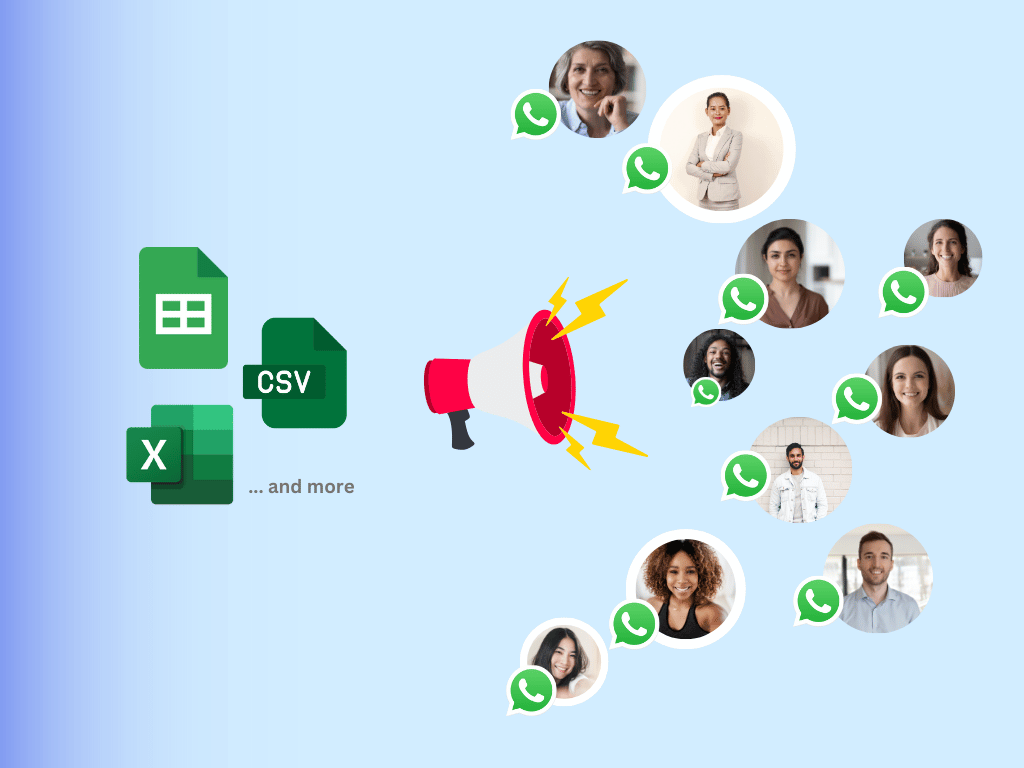
Put one guest per row in a Google Sheet, with a column named after every placeholder: name, booking ID, dates, room type, amount.
- 2
Open SheetWA, paste the template, and match each placeholder to its column. Every guest sees their own dates and amount.
- 3
Attach the booking voucher PDF or a property photo, preview a few rows, and send. Delivery and read status come back to the sheet.
- Bulk WhatsApp senderSend from Google Sheets
Frequently asked questions
How do I write a room booking confirmation message?
Open with the guest's name and a clear line that the booking is confirmed. Then give the property, dates, room type, number of guests, amount paid and booking ID. End with a phone number or a reply option. Keep the cancellation policy to one line and attach the voucher.
What is a hotel booking confirmation message?
It is the message a hotel sends after a reservation, confirming the dates, room, rate and booking ID. Guests show it at check-in and use it as proof of booking for visas, leave approvals or expense claims, so it must carry the hotel name and the full details.
What should a booking confirmed message say for a homestay?
The same basics as a hotel, plus the personal touch: the host's name, who meets the guest, how to reach the property and any house rules. Homestay guests often arrive late or by road, so a map link and a question about arrival time help a lot.
Should I send the confirmation on WhatsApp or email?
Both, if you have the email. WhatsApp is read within minutes, and the guest can reply with questions or their arrival time. Email suits long policies and GST invoices. Many properties send the short version on WhatsApp with the voucher PDF attached.
Can I send booking confirmations in bulk from a Google Sheet?
Yes. Export your bookings from your property software or channel manager into a Google Sheet, one guest per row. Paste a template into SheetWA, match the columns to the placeholders, and send one personalised message per guest from your property's WhatsApp number.
When should a room booking confirmation message be sent?
Within minutes of the booking or payment. A late confirmation makes guests worry that the booking failed, and some book elsewhere. Follow it with a check-in message the day before arrival and a thank you after check-out.
Is a WhatsApp message valid proof of a hotel booking?
For most hotels, yes, if it carries the booking ID and the hotel's name. Guests still need a government photo ID at check-in. For visas or company claims, attach the PDF voucher or GST invoice to the message as well.
Do I need the WhatsApp Business API to send confirmations?
Not for a small hotel or homestay. The SheetWA Chrome extension sends from your existing WhatsApp Web session. For hotels that want a confirmation sent the moment a booking lands in their system, use the SheetWA WhatsApp API with approved templates.