Payment Done Message: 20+ WhatsApp Confirmation Templates
Confirm every payment the moment it lands. Copy a payment done message and send it to each customer from a Google Sheet.
Updated October 2026. 23 templates, all copy-paste ready.
Preview
✅ Dear {{Name}}, we have received your payment. 💰 Amount: Rs. {{Amount}} 🧾 Invoice: {{Invoice No.}} dated {{Invoice Date}} 💳 Mode: {{Mode}}, reference {{UTR No.}} Your receipt is attached. Thank you for your business. {{Business Name}}
10:24Every {{placeholder}} fills from the Google Sheet column with the same name.
Payment done message: payment received confirmation message for invoices
Formal and exact. Quote the invoice or receipt number, the amount and the date, so the customer can match it in their books.
✅ Dear {{Name}}, we have received your payment. 💰 Amount: Rs. {{Amount}} 🧾 Invoice: {{Invoice No.}} dated {{Invoice Date}} 💳 Mode: {{Mode}}, reference {{UTR No.}} Your receipt is attached. Thank you for your business. {{Business Name}}
10:24✅ Hi {{Name}}, thank you! 💰 Rs. {{Amount}} received today for your account at {{Shop Name}} 📊 Balance now: Rs. {{Balance}} Please keep this message as your receipt. For any query, call {{Phone}}.
10:24✅ Dear Parent, we have received the fee for {{Student Name}}. 💰 {{Term}} fee: Rs. {{Amount}} 🏫 Class: {{Class}}, paid on {{Date}} 🧾 Receipt No.: {{Receipt No.}} The fee receipt PDF is attached for your records. Regards, {{School Name}} Accounts Office
10:24✅ Hello {{Name}}, your payment is received. 💰 Amount: Rs. {{Amount}} for {{Service}} 📅 Date: {{Date}} 🧾 Receipt No.: {{Receipt No.}} (attached) The GST invoice will be emailed to {{Email}}. Thank you for choosing {{Business Name}}.
10:24EMI payment received messages
Short and reassuring. Confirm the EMI, the loan and what is left, so the borrower can stop thinking about it.
✅ Dear {{Name}}, we have received your EMI. Thank you for paying on time. 💰 EMI: Rs. {{EMI Amount}} for loan {{Masked Loan No.}} 📅 Received on: {{Date}} 📌 Next EMI: Rs. {{EMI Amount}} due on {{Next Due Date}} {{Lender}}
10:24✅ Hi {{Name}}, payment received. 💰 Rs. {{Amount}} credited to your {{Loan Type}} loan {{Masked Loan No.}} 🏦 Principal outstanding: Rs. {{Outstanding}} 📅 EMIs remaining: {{Remaining EMIs}} Statement at {{Link}}. Team {{Lender}}
10:24✅ Dear {{Name}}, thank you for clearing the overdue amount. 💰 Paid: Rs. {{Amount}} on loan {{Masked Loan No.}} 📌 Your account is now up to date, and no more reminders will be sent for {{Month}} Receipt attached. {{Lender}}
10:24UPI and online transaction successful messages
Instant and brief. The customer is still holding their phone, so confirm everything in one glance.
✅ Payment successful! Hi {{Name}} 💰 Amount: Rs. {{Amount}} by UPI 📦 Order: {{Order No.}} 🕐 Time: {{Time}} on {{Date}} 🧾 UPI reference: {{UTR No.}} Your order is being packed now. {{Business Name}}
10:24✅ Hi {{Name}}, your transaction was successful. 💰 Amount: Rs. {{Amount}} on {{Date}} 🧾 Transaction ID: {{Transaction ID}} 🏪 Paid to: {{Business Name}} Save this message for your records. Questions? Just reply here.
10:24🙏 Thank you {{Name}}! Your online payment is confirmed. 💰 Amount: Rs. {{Amount}} for {{Item}} 💳 Paid via {{Mode}} on {{Date}} 🚚 Delivery expected by {{Delivery Date}} Invoice: {{Link}} Team {{Business Name}}
10:24Partial payment received messages
Thank them for what came in, then state the balance and its due date plainly. No guilt, just numbers.
✅ Dear {{Name}}, we have received a part of your invoice. 🧾 Invoice {{Invoice No.}}: Rs. {{Paid Amount}} of Rs. {{Invoice Amount}} 📌 Balance due: Rs. {{Balance}} by {{Due Date}} You can pay the rest at {{Link}} whenever you are ready. Thank you, {{Business Name}}.
10:24✅ Hi {{Name}}, thank you for the part payment. 💰 Paid: Rs. {{Paid Amount}} on {{Date}} 📌 Remaining balance: Rs. {{Balance}} 📅 Next instalment: Rs. {{Instalment}} due on {{Due Date}}, as agreed {{Business Name}}
10:24✅ Dear Parent, we have received part of the {{Term}} fee for {{Student Name}}. 💰 Paid: Rs. {{Paid Amount}} 📌 Balance: Rs. {{Balance}} due by {{Due Date}} 🧾 Receipt No.: {{Receipt No.}} (attached) Regards, {{School Name}}
10:24Subscription and renewal payment confirmation messages
Friendly and forward-looking. Confirm the payment, then the new validity date, so the customer knows they are covered.
🎉 Hi {{Name}}, your subscription is renewed! 📦 Plan: {{Plan Name}} 💰 Received: Rs. {{Amount}} on {{Date}} 📅 Active till: {{Expiry Date}} Invoice: {{Link}} Thank you for staying with {{Business Name}}!
10:24💪 Dear {{Name}}, thank you for renewing your membership at {{Gym Name}}. 💰 Payment received: Rs. {{Amount}} 📅 Valid from {{Start Date}} to {{End Date}} See you at your next session!
10:24✅ Hello {{Name}}, your auto-renewal payment went through. 💰 Amount: Rs. {{Amount}} for {{Service}} 📅 Paid on: {{Date}} 🔁 Next renewal: {{Next Renewal Date}} To change or cancel your plan, reply here or visit {{Link}}. {{Business Name}}
10:24Refund processed messages
Clear about timing. Say how much, to which account, and how many days it takes to show.
💸 Dear {{Name}}, your refund was processed today. 💰 Amount: Rs. {{Amount}} for order {{Order No.}} ⏱️ It will reach your {{Mode}} account within {{Days}} working days 🧾 Refund reference: {{Refund ID}} {{Business Name}}
10:24💸 Hi {{Name}}, we have refunded your booking cancelled on {{Date}}. 💰 Amount: Rs. {{Amount}} 📲 UPI ID: {{Masked UPI ID}} Most UPI refunds show within 24 hours. Not received by {{Check Date}}? Reply here with this message. {{Business Name}}
10:24💸 Dear {{Name}}, as requested, the extra payment on invoice {{Invoice No.}} has been refunded. 💰 Amount: Rs. {{Amount}} 🏦 Bank account ending {{Last 4 digits}} 🧾 Bank reference: {{UTR No.}} Thank you for your patience. {{Business Name}} Accounts Team
10:24Payment received SMS versions under 160 characters
For customers who prefer SMS, or as a backup receipt. Each fits one message with the amount and a reference.
{{Business Name}}: Rs. {{Amount}} received from {{Name}} on {{Date}} for invoice {{Invoice No.}}. Ref: {{UTR No.}}. Thank you!
126/160 characters
Dear {{Name}}, EMI of Rs. {{EMI Amount}} received for loan {{Masked Loan No.}}. Next EMI due on {{Next Due Date}}. {{Lender}}
125/160 characters
Payment successful: Rs. {{Amount}} paid to {{Business Name}} on {{Date}}. Txn ID {{Transaction ID}}. Keep this SMS as your receipt.
131/160 characters
{{Business Name}}: Refund of Rs. {{Amount}} for order {{Order No.}} processed. Expect it in {{Days}} working days. Ref {{Refund ID}}
132/160 characters
What a payment confirmation message must include
A confirmation is a receipt. It should hold up when the customer, their accountant or your own team checks it later.
- The customer's name
- Your business, school or lender name
- The exact amount received, in rupees
- The date, and the time for instant payments
- Payment mode: UPI, card, net banking, cash or cheque
- A reference: invoice, receipt, order or UTR number
- Any balance due, and the next due date
- A receipt or invoice PDF, or a link to it
- A contact for questions
Mask account and card numbers to the last four digits and add a helpline in case the payment was not theirs. Never ask for an OTP.
Common mistakes in payment done messages
- No reference number, so the customer cannot match the payment in their bank statement or books.
- Sending the confirmation hours later, after the customer has already called to ask.
- Leaving out the balance on a part payment, which starts a dispute at the next due date.
- Refund messages with a link that asks for a UPI PIN, which is exactly how refund scams work.
Send payment received messages from a Google Sheet with SheetWA
- 1
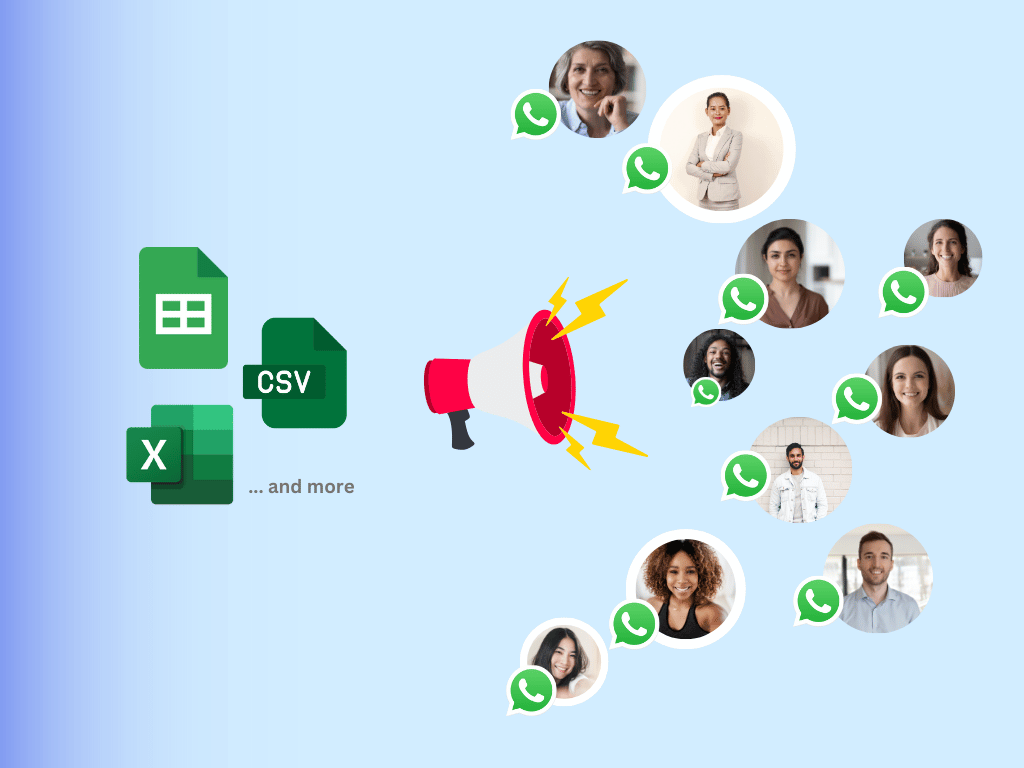
Keep one payment per row in a Google Sheet, with a column named after every placeholder: name, amount, date, mode, reference number.
- 2
Open SheetWA, paste the template, and each placeholder fills from the sheet column with the same name. Every customer sees their own amount and reference.
- 3
Attach each customer's receipt or invoice PDF, preview a few rows, and send. Delivery and read status come back to the sheet.
- Bulk WhatsApp senderSend from Google Sheets
More finance templates
All finance templatesLoan approval message
Tell borrowers their loan is sanctioned, with the amount, tenure, rate and next step.
EMI due message
Remind borrowers of the EMI amount, due date and how to pay, before and after it falls due.
EMI bounce message
Tell borrowers their EMI debit failed, the bounce charge, the retry date and how to pay.
Loan offer message
Offer personal loans with the amount, rate and one clear next step, plus an opt-out.
Credit card payment message
Remind cardholders of the total due, minimum due and due date, and confirm payments.
Deposit message
Confirm a cash, cheque, UPI or salary credit with the amount, account and balance.
Payment reminder message
Remind customers what they owe and by when, from a friendly nudge to a final notice.
Frequently asked questions
What is a payment done message?
It is a short note a business sends to confirm it has received a customer's payment. It states the amount, the date, the payment mode and a reference number, and often attaches the receipt. It closes the loop, so the customer does not call to check whether the money arrived.
How do I write a payment confirmation text message?
Start with your business name and the customer's name. Then state the amount received, the date, the payment mode and a reference, such as the invoice or UTR number. Mention any balance still due. End with a thank you and a contact. Keep it under 50 words, or under 160 characters for SMS.
What is a successful transaction message?
It is the instant confirmation sent when an online or UPI payment goes through. It shows the amount, who was paid, the date and time, and a transaction ID. Banks and UPI apps send their own, and businesses send a second one that ties the payment to the order or invoice.
Is a payment confirmation message the same as a receipt?
It can serve as one for small payments, if it has the amount, date, mode and a reference number. For business payments, school fees and loans, attach a proper receipt or GST invoice PDF as well, since customers and their accountants often need a document for their records.
When should I send a payment received SMS?
Within minutes of the money landing, while the customer still remembers paying. For bank transfers that take time to show, send it as soon as your account reflects the credit. A fast confirmation stops follow-up calls and builds trust with customers who pay on time.
How do I confirm a partial payment politely?
Thank the customer for the amount received first. Then state the balance in rupees and the date it is due, with a link or account to pay the rest. Keep the tone neutral and factual. Customers who see the exact balance in writing pay the rest sooner and dispute less.
How can I tell if a transaction successful message is real?
Check your own bank or UPI app for the credit, not the SMS or screenshot the customer shows you. Fake payment screenshots and spoofed SMS are common at shop counters. A real credit appears in your account statement with a matching UTR number. Hand over goods only after you see it.
Can I send payment confirmation messages on WhatsApp in bulk?
Yes. Keep the day's payments in a Google Sheet, paste a template into SheetWA, and send one personalised confirmation per row from your own WhatsApp number, each with its own receipt PDF. For confirmations triggered by your billing system, use the SheetWA WhatsApp API.